A whole electronic-music studio in one browser page, with an ear built in. You can play it, patch it like a modular synthesizer, sequence it, arrange whole songs with it, mix and master them, and watch the result arrive at a model of the inner ear while it plays.
This manual covers everything on the page, from top to bottom. Read the overview and Getting started first; after that, use the contents on the left to jump to whatever you are working on. Every section of the machine has its own chapter, every module in the rack has its own entry with a picture, a plain explanation of each control, and a table of its controls and jacks that is read straight from the machine itself, so it is always up to date.
Read it beside the machine. The 📖 Manual button at the top of the machine opens this manual in a panel docked to the right of the machine, so you can read and work at the same time. Drag the panel's left edge to make it wider or narrower; press the button again or Close ✕ to put it away. On a narrow screen it covers the machine instead. When the machine is opened on its own (not inside a viewer), Open in its own tab ↗ moves the manual to a browser tab of its own.
Overview: how the machine is put together
The machine is one long page. From the top down it holds:
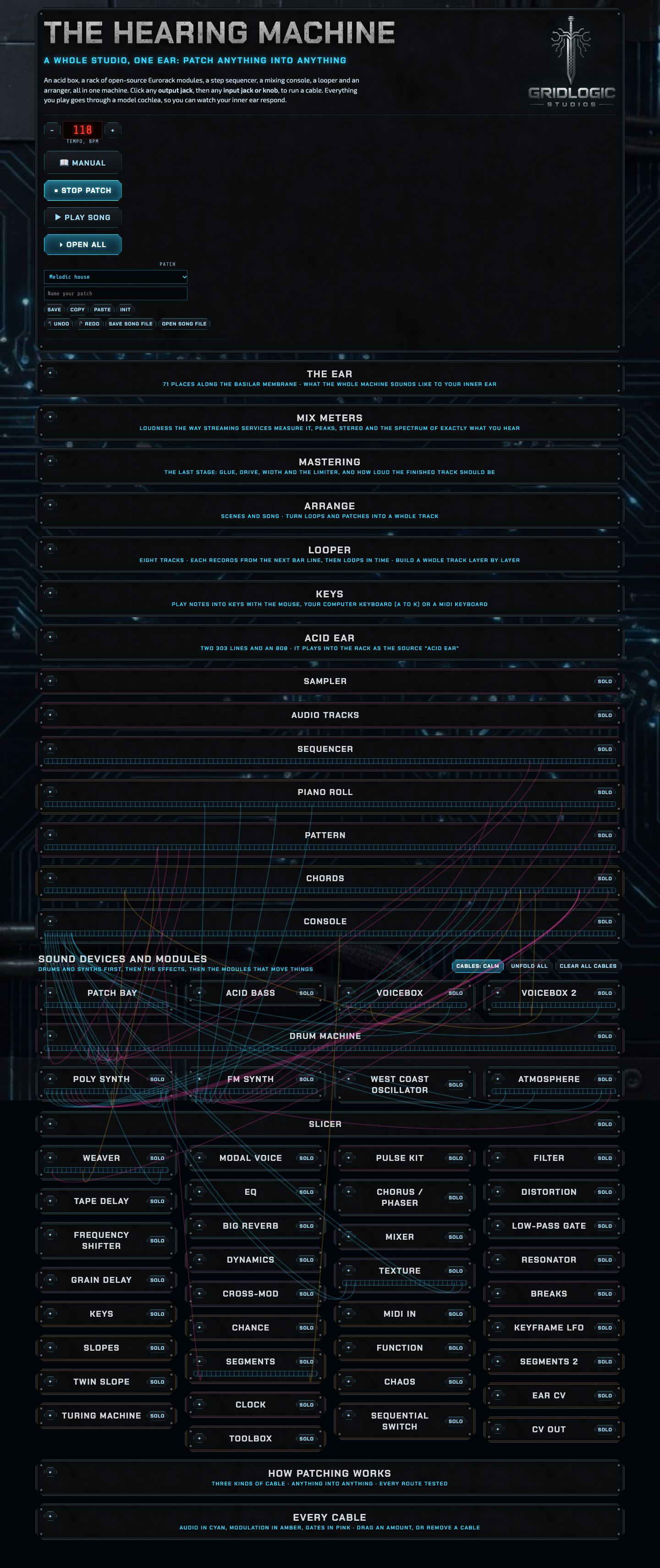
The whole machine with everything folded to its title (press ▾ Fold all in the top box to see it like this): the panels without cables come first, then everything with jacks.
It is arranged in two halves. First come the panels you work with but don't patch cables into; then everything that has jacks and takes cables; and at the very bottom the patching guide and the list of every cable.
The top box: the manual, tempo, play buttons, folding, the patch you are on, undo, saving.
The ear: a live picture of how your inner ear responds to the sound.
Mix meters: loudness, peaks, stereo and the spectrum of what you hear.
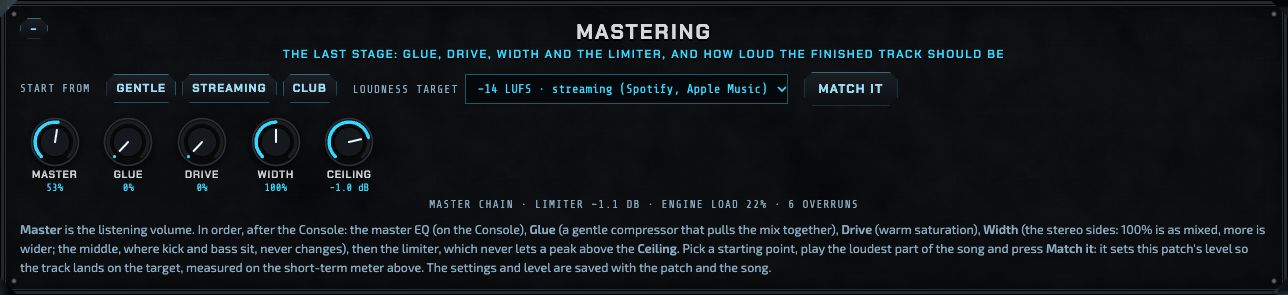
Mastering: the final stage: master volume, glue, drive, width, limiter, loudness target.
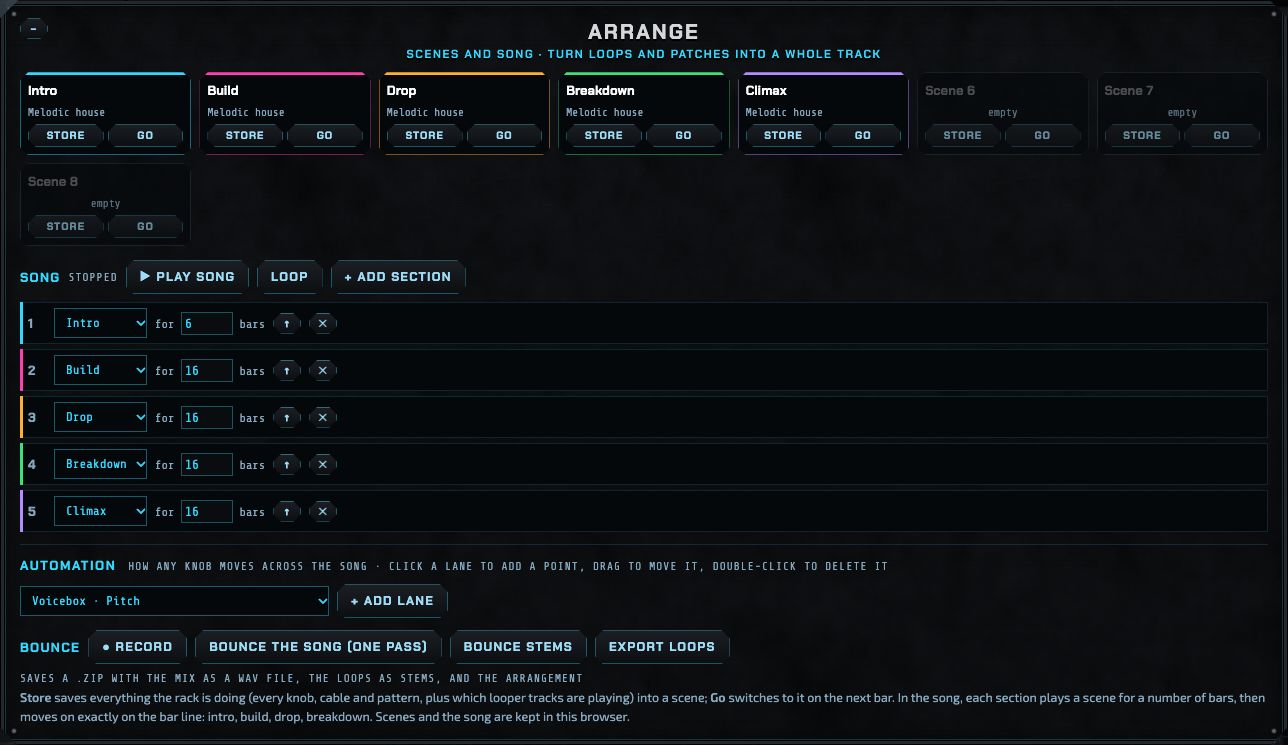
Arrange: scenes, the song, automation, bouncing and stems.
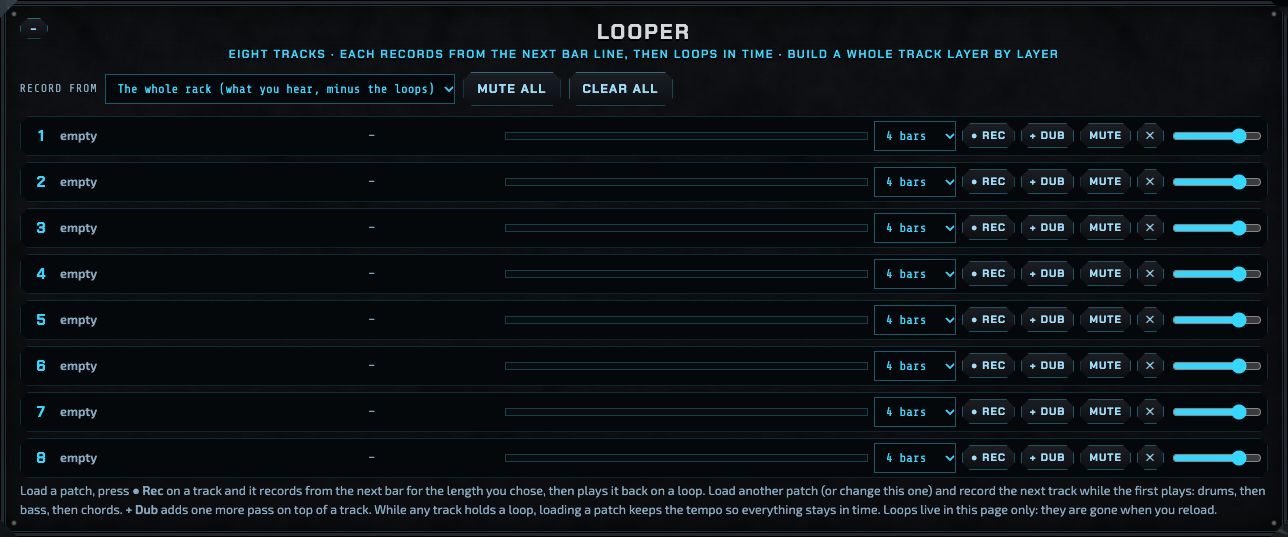
Looper: eight tracks that record and loop in time.
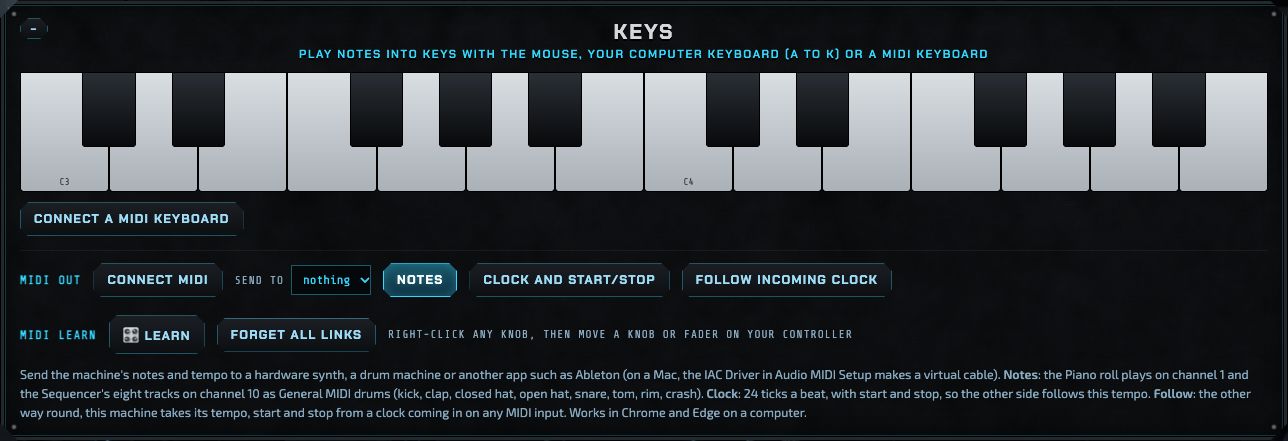
Keys and MIDI: the on-screen piano, MIDI keyboards, MIDI out and clock, and MIDI learn for controllers.
The Acid Ear box: a self-playing acid jam.
From here on, everything has jacks and takes cables:
Sampler: sixteen pads cut from one recording.
Audio tracks: recorded audio placed on the song's bars.
Sequencer, Piano roll, Pattern, Chords: the things that play notes and rhythms.
Console: the mixing desk, with its meter bridge.
The rack: every sound source, effect and modulator.
How patching works and Every cable, at the bottom.
The manual follows the same order. The machine always opens with everything unfolded, so you can see it all; fold what you aren't using with each panel's − or with ▾ Fold all.
The journey of a sound
Everything in the machine follows the same path. Something decides when and what to play; a sound source makes the sound; effects can change it; the Console mixes it with everything else; the master chain finishes it; and then it goes to your speakers, the meters and the ear at the same time.
Notes and triggers flow left to right; sound goes through the Console and the master chain to the outputs. Modulators (amber) can move any knob anywhere. A source can also skip the effects and go straight into the Console (the dashed line).
Three kinds of module
Every module in the rack is one of three kinds, shown in the small line under its name:
Sound source: makes sound. The Drum machine, Acid bass, Voicebox, Poly synth, FM synth, West coast oscillator, Sampler, Slicer, Atmosphere, Weaver, Modal voice and Pulse kit.
Processor: changes sound you send into it. The Filter, EQ, Chorus / phaser, Distortion, Tape delay, Big reverb, Low-pass gate, Frequency shifter, Mixer, Dynamics, Resonator, Texture, Grain delay, Cross-mod and the Console.
Motion: makes no sound of its own; it plays, triggers or moves things. The Sequencer, Piano roll, Pattern, Chords, Breaks, Keys, MIDI in, Chance, Keyframe LFO, Slopes, Function, Segments, Twin slope, Chaos, Ear CV, Clock, Turing machine, Sequential switch, CV out and the Toolbox.
Three kinds of cable
Modules talk to each other through cables, exactly like a modular synthesizer. Click any output jack (on the right of a module), then any input jack or knob jack (the small circle at the top-right of a knob), and a cable appears. The colour tells you what it carries:
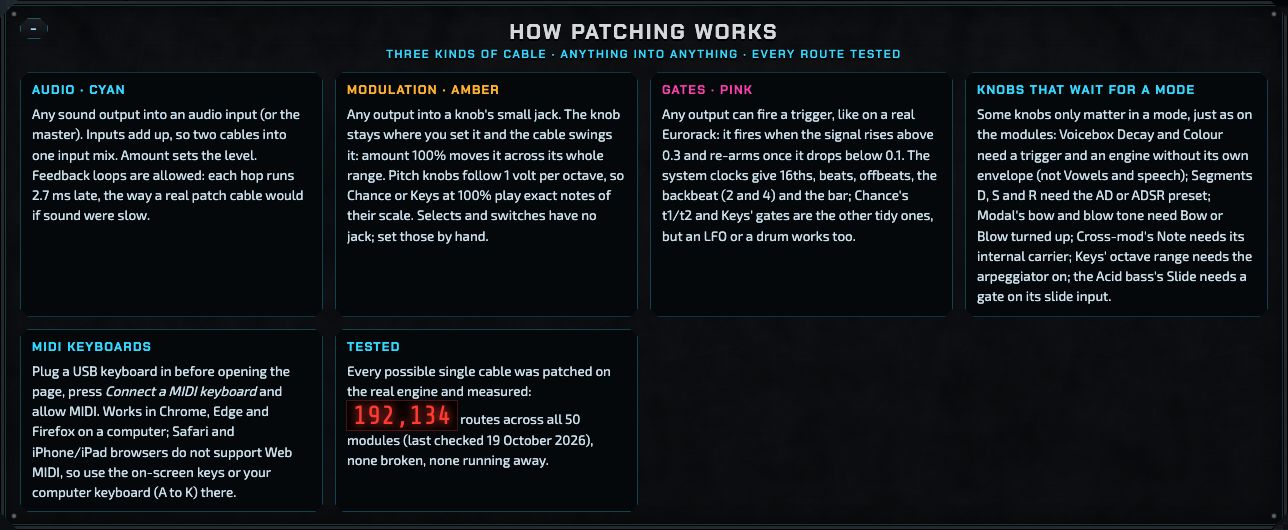
Audio (blue): sound, from an output into an audio input or into the master. Two cables into one input are mixed together.
Modulation (amber): a changing value that moves a knob. The knob stays where you set it and the cable swings it up and down around that point. Pitch knobs follow the modular standard of 1 volt per octave, so a note source patched in at 100% plays exact notes.
Gates (pink): triggers and held notes. A gate fires when its signal rises above 0.3 and re-arms when it drops below 0.1, so almost anything (a clock, a drum, an LFO) can trigger anything.
Click a cable to change its amount or remove it. All cables are also listed, with their amounts, in Every cable at the bottom of the page.
How the parts work together
A typical track uses the machine like this:
A note source (the Sequencer for drums, the Piano roll or Chords for melodies) decides what plays when.
Its gates and notes go to sound sources: the Sequencer's track 1 plays the Drum machine's kick, the Piano roll plays the FM synth's chords.
Each source's output goes into a Console strip, where you set its level, pan and EQ, how much goes to the reverb and delay, whether it ducks under the kick, and whether it joins a group such as a drum bus.
The Console's mix goes through the master chain (set in Mastering), which glues and limits it.
You build the track in Arrange: store scenes (intro, build, drop, breakdown), lay them out as a song, and draw automation for the knobs that should move over the song.
The meters and the ear show you what you are making, and Bounce turns it into a WAV file, with stems if you want to finish it elsewhere.
Patches (everything on the page) are saved in the browser and can be copied as text; whole songs, with their audio, are saved as song files. See Saving, files and undo.
Getting started: your first fifteen minutes
This walk-through uses the Melodic house track that comes with the machine. Have the machine open in its own tab.
Turn your speakers down a little. Browsers start sound only after you press something, and the first sound can be louder than you expect.
In the top box, open the Patch list and choose Melodic house. Everything on the page changes to that track's settings: the knobs, the cables, the sequences and the arrangement.
Press ▶ Play patch. The track's loop plays. The ear starts to draw, the mix meters move, and the Console's meter bridge lights up.
Press ■ Stop patch, then ▶ Play song. Now the arrangement plays from the top: an 8-bar intro, then the build, the drop, a short breakdown, a riser with a snare roll, the build again, and an outro that fades away. The Arrange section shows where you are.
Scroll to the Console. Each strip is one sound; the meter bridge above names them (Kick, Clap, Closed hat and so on). Turn a strip's Level knob and hear that sound get louder or quieter.
Click the Kick meter on the meter bridge, then the Voicebox meter (the bass). A spectrum appears with both: where the two lines are high in the same place, those sounds compete.
In the rack, find the Drum machine. Turn the kick's Decay knob and hear the kick get longer.
Make your first cable: in the rack, click the Keyframe LFO's output 1, then the small jack at the top-right of the Filter's Cutoff knob. The cable is amber (modulation). Click the cable and drag its amount to hear the filter sweep. Press ↶ Undo to take it away again.
Open Mastering, choose Streaming, and while the drop plays press Match it. The machine sets the level so the track lands at −14 LUFS, the level Spotify and Apple Music play at.
Type a name in the top box's name field and press Save. Your version is now in the Patch list under Your patches. To keep everything, including recordings, press Save song file.
That is the whole loop of working with the machine: play, listen, change, patch, mix, save. The rest of this manual goes through each part in detail.
The top box
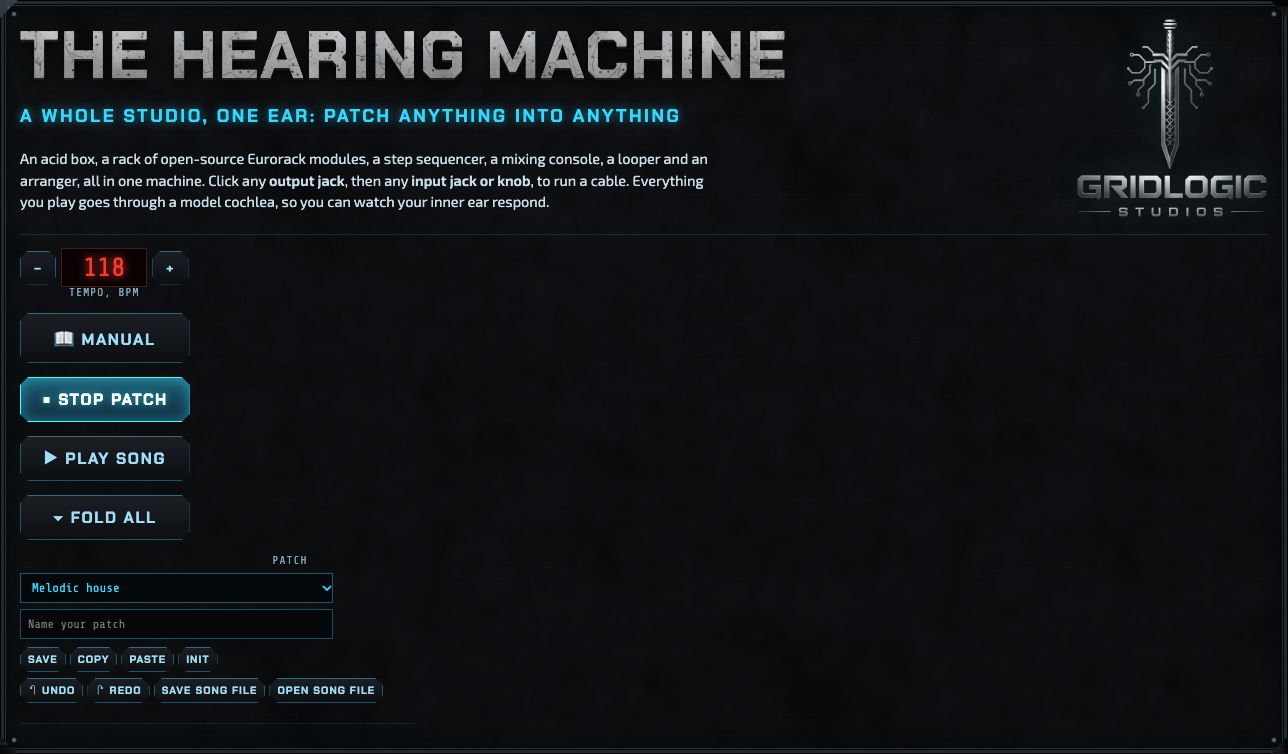
The top box: tempo, the three big buttons, and everything to do with the patch you are on.
📖 Manual
Opens this manual in a panel beside the machine (drag its edge to resize it; press again to close it). It works the same in every browser, with nothing to sign in to.
Tempo, BPM
The speed of everything: sequencers, the Looper, the delay, the song. Press − or + to change it one beat per minute at a time (from 60 to 180). The tempo is saved with the patch. While the Looper holds a recording, loading a patch keeps the current tempo so the loop stays in time.
▶ Play patch / ■ Stop patch
Starts and stops the machine as it is now: every sequencer runs, every loop plays. This is how you work on a sound or a section.
▶ Play song / ■ Stop song
Plays the arrangement from the first section to the last (see Arrange). From silence it starts at once, on the first section; if a patch is already playing, the song takes over on the next bar line, so the beat never stumbles. When the song ends, the machine stops. Starting a song also restarts the integrated loudness measurement, so the meters measure the whole song.
▾ Fold all / ▸ Open all
Folds every section and every module down to its title, or opens them all again. The machine always opens with everything unfolded, so you see it all first; folds last until you reload. Each section and module also has its own −/+ in its top-left corner. Folded modules keep their cables: they run into a slim cable channel under the module's title.
Patch
The list of patches: Init patch (a blank start), then Patches, the ones that come with the machine (Melodic house: a seven-section melodic house song with a written melody, changing beats and chords, percussion, tape echo and a slow fade-out), then Your patches, the ones you saved. Choosing one replaces everything on the page with that patch (you can undo it).
Name your patch
The name for Save and for song files.
Save
Saves the whole patch (every knob, cable, sequence, piano-roll pattern, master setting and DX7 bank) into this browser under the name you typed. It appears under Your patches.
Copy / Paste
Copy puts the patch on the clipboard as text, so you can keep it anywhere or send it to someone. Paste opens a box: paste such text into it and press Load it.
↶ Undo / ↷ Redo
Steps back and forward through your changes: knobs (one whole turn counts as one step), cables, steps, notes, scenes, automation, tempo and patch loading. Up to 100 steps. The keyboard shortcuts are ⌘Z (Ctrl+Z) and ⇧⌘Z (Ctrl+Y). Recordings in the Looper and the Sampler's audio are not part of undo; the Sampler has its own undo for its audio.
Init
Starts from a blank patch, like the "init" sound on a synthesizer: every knob back to its default, no cables, an empty Sequencer, Piano roll and Pattern, the Mastering stage at rest and the tempo at 120. The arrangement, Looper, audio tracks and the pads' sample stay as they are. It is also first in the patch list, as Init patch. Undo brings back what you had.
Save song file / Open song file
Saves everything, including the Sampler's sample and the audio tracks, as one .hmsong.zip file you can keep, back up or open on another computer. Opening one replaces the page with that song (and can be undone). See Saving, files and undo.
The ear
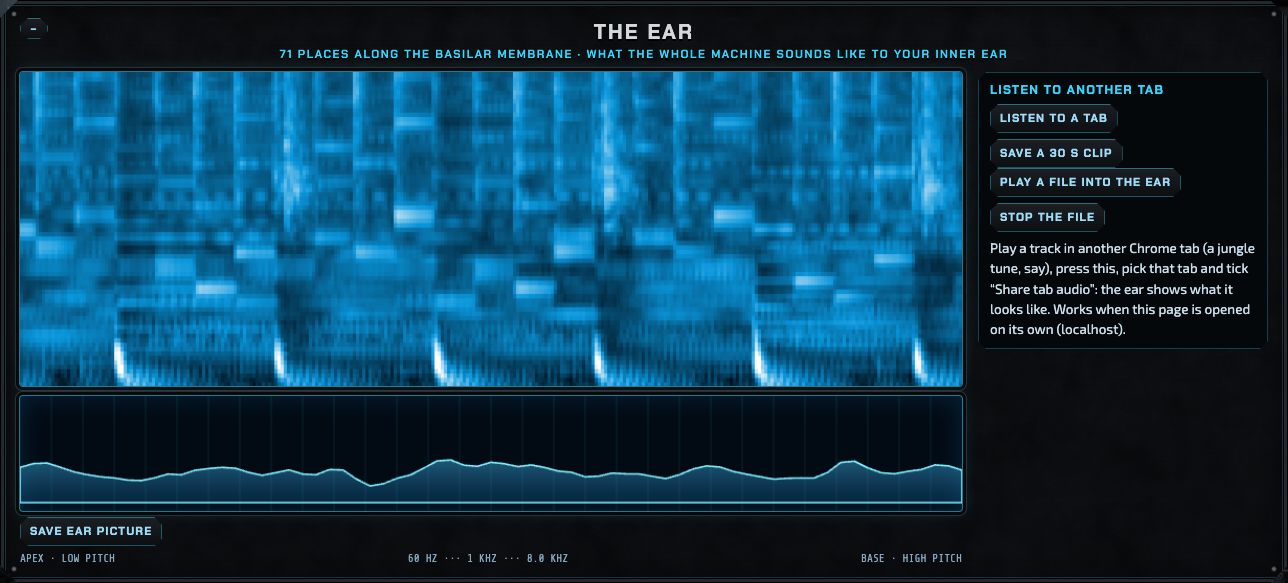
The ear while the Melodic house track plays: kicks are the bright marks at the bottom, the hats and claps the columns higher up.
Everything the machine plays goes through a model of the cochlea, the snail-shaped organ in your inner ear that turns sound into nerve signals. The cochlea is lined by the basilar membrane: its far end (the apex) vibrates for low sounds, its near end (the base) for high ones. The model follows 71 places along it.
The big picture
Time scrolls from right to left. Each row is one place on the membrane, low pitches at the bottom, high at the top; brightness is how strongly that place moves. A kick drum is a bright mark at the bottom, a hi-hat a short column near the top, a chord a set of horizontal lines.
The line below
The membrane right now, from the low end on the left to the high end on the right. The labels underneath show the pitch each part of the line responds to.
Save ear picture
Saves the current picture as a PNG file.
Listen to a tab
Shows what any other sound looks like to the ear: play a track in another Chrome tab, press this, pick that tab and tick Share tab audio. Works when the machine is opened on its own (for example on localhost), not inside a viewer that blocks tab sharing. Save a 30 s clip records what is coming in.
Play a file into the ear / Stop the file
Plays an audio file through the ear, so you can compare a reference track with yours.
The ear is also the link to CymaticBridge, the project training a machine to hear through this kind of model instead of the usual spectrogram; in a later version the trained ear will listen to your mixes and comment on them.
Mix meters
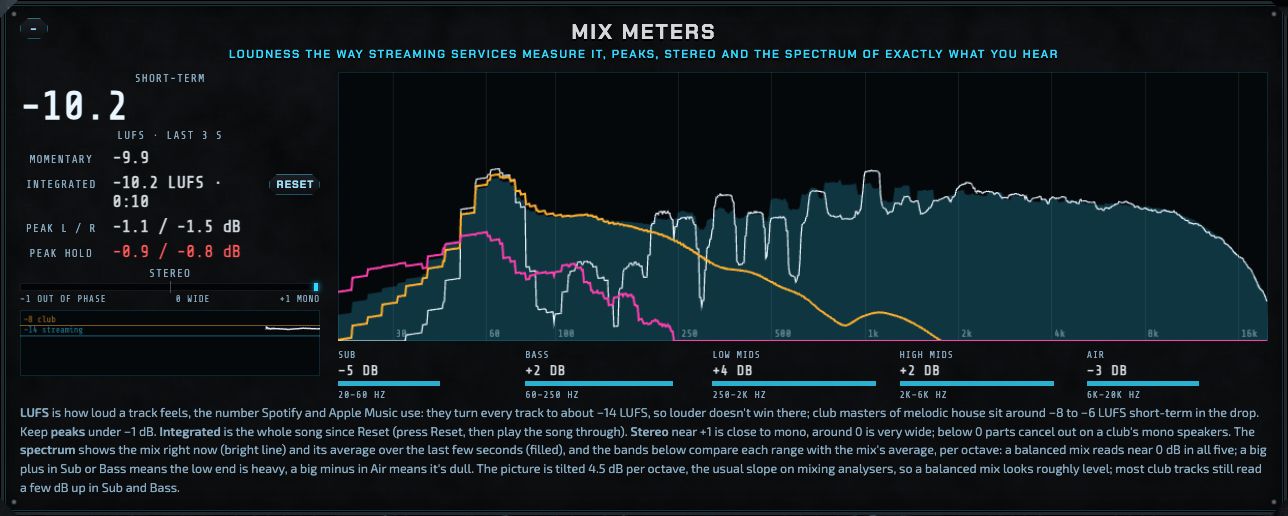
Mix meters on the Melodic house drop.
The meters measure exactly what you hear, at the very end of the sound path, after the limiter. They use the same loudness standard (ITU-R BS.1770, EBU R128) as Spotify, Apple Music and broadcasters.
Short-term (the big number)
Loudness over the last 3 seconds, in LUFS (loudness units relative to full scale). This is the number to watch while mixing a section. −14 LUFS is where streaming services play every track; club masters of melodic house sit around −8 to −6 in the drop.
Momentary
Loudness over the last 0.4 seconds: it jumps with every hit.
Integrated
The loudness of everything since you last pressed Reset (or started a song), ignoring silence and quiet stretches the way the standard says. Play the whole song through for the true figure. The time beside it shows how much has been measured.
Peak L / R and Peak hold
The loudest single moments on each side, in dB below full scale, and the loudest since you started. They turn red above −1 dB, the usual safe ceiling for files that will be converted to MP3 or AAC.
Stereo
How alike the left and right sides are: at +1 they are identical (mono); near 0 the sound is very wide; below 0 parts of it cancel out when played on one speaker, which a club system often does for the bass.
History
Short-term loudness over the last minute, with guide lines at −14 (streaming) and −8 (club).
Spectrum
How the energy is spread from low (left, 20 Hz) to high (right, 20 kHz). The bright line is now; the filled shape is the average over the last few seconds. The picture is tilted 4.5 dB per octave, the usual slope on mixing analysers, so a well-balanced mix looks roughly level. When you click Console meters (see the meter bridge), their spectra appear here too, in amber and pink.
Sub, Bass, Low mids, High mids, Air
Each range compared with the mix's average, per octave. A balanced mix reads near 0 dB in all five; most club tracks read a few dB up in Sub and Bass. A big plus in Sub or Bass means a heavy low end; a big minus in Air means a dull top.
Mastering
The Mastering panel: the last stage before your speakers.
After the Console has mixed everything, the sound goes through the master chain, in this order: the master EQ (its knobs are on the Console), Glue, Drive, Width and the limiter. These settings and the patch's level are saved with each patch and song.
Master
The listening volume of the whole machine.
Glue
A gentle compressor on the whole mix that pulls the parts together and evens out the level. A little goes a long way; the readout shows how much it takes off.
Drive
Warm, tape-like saturation: thickens the sound and rounds off peaks.
Width
Turns the stereo sides up or down. 100% is as mixed, more is wider, 0 is mono. The middle of the mix (where the kick, bass and vocal usually sit) never changes, so the low end stays solid.
Ceiling
The limiter never lets a peak through above this level (−1.0 dB unless you change it). The limiter looks 2 milliseconds ahead, so it catches peaks cleanly, and lets go within about 80 milliseconds.
Start from
Three starting points: Gentle (little glue, a −16 LUFS target), Streaming (some glue and drive, slightly wider, −14 LUFS) and Club (more glue and drive, wider, −9 LUFS). They set the knobs and the target; your track's level changes only when you press Match it.
Loudness target and Match it
Choose how loud the finished track should be, play its loudest part (the drop) and press Match it. The machine listens, adjusts this patch's level, listens again, and repeats until the short-term loudness is within half a dB of the target (about half a minute). If the limiter is working very hard, the message says so: a lower target, or less low end, will get closer.
Master chain readout
Shows how much the glue and the limiter are taking off right now, and the engine load: the share of each second the machine needs to make the sound. It turns yellow from 55% and red from 80%, where the sound can start to crackle; fold or remove modules you are not using, or freeze a channel.
Arrange
Arrange: scenes, the song, automation and bouncing.
Arrange turns loops into a whole track. It works in three layers: scenes (snapshots of the machine), the song (which scene plays for how long), and automation (knobs that move over the course of the song).
Scenes
A scene stores everything the rack is doing: every knob, cable and pattern, and which Looper tracks are playing. There are eight slots, each with a name.
Store saves the machine as it is now into that slot.
Go switches to that scene on the next bar line, so changes always land in time.
Typical scenes: an intro with only drums and atmosphere, a build with the chords filtered, a drop with everything, a breakdown with the drums out.
The song
The song is a list of sections. Each section plays one scene for a number of bars, then moves on exactly on the bar line. Choose the scene and type the bars for each row; use the arrows to move a section up, ✕ to remove it, and + Add section to add one. Loop makes the song start again at the end instead of stopping. ▶ Play song here does the same as the one in the top box.
Automation
Automation moves a knob over the whole song: a filter that opens through the build, a reverb that swells into the breakdown. Press + Add lane and choose any knob in the machine. The lane is a line across the song's bars:
Click to add a point; drag a point to move it; double-click a point to remove it.
On switches the lane on and off without losing it; ✕ removes it.
While the song plays, the knob follows the line (you see it turn), and a white line shows where you are. When the song stops, every automated knob goes back to where it was.
Bounce: recording the result
● Record records whatever the machine plays from the next bar line until you press it again.
Bounce the song (one pass) plays the song once from the top and records it.
Bounce stems plays the song once and records every part separately as well: each Console strip that goes to the master, each group, the reverb and delay returns, the send C and D returns, and anything that doesn't go through the Console. The stems carry the master EQ but not the glue, drive, width or limiter, and are all turned down 6 dB together so nothing clips. Dropped into another program at 0 dB and lined up at the start, they add up to the mix before its glue and limiter. mix-mastered.wav is the finished mix.
Export loops saves the Looper's tracks as WAV files.
Each saves a .zip with the audio as WAV files and arrangement.json (the tempo, the patch and the song). A full song with stems is large (about 27 MB a stem for a two-and-a-half-minute song), so give it a few seconds to save.
Looper
The Looper: eight tracks that record in time and loop.
The Looper builds a track layer by layer, live. Each of its eight tracks records from the next bar line for the length you chose (1, 2, 4 or 8 bars), then plays it back on a loop, in time with everything else.
Record from: the whole rack (what you hear, minus the loops themselves) or the Looper inputs in the patch bay (patch exactly what you want into Looper in L and R).
● Rec arms a track: it starts recording on the next bar and stops at the end of its length. Press again before it starts to cancel.
+ Dub records one more pass on top of what the track holds.
Mute, ✕ (clear) and the volume slider act on one track; Mute all and Clear all on every track.
A typical session: load a drum patch and record track 1; load (or change to) a bass patch and record track 2 while the drums play; then chords on track 3. While any track holds a loop, loading a patch keeps the tempo, so everything stays in time. Scenes remember which tracks play, so loops can come and go in the song. Loops live in the page only and are gone when you reload: use Export loops in Arrange to keep them, or put them into the song with the Sampler's Into the song or an audio track.
Keys and MIDI
Keys and MIDI.
Playing notes in
The on-screen piano: click the keys.
Your computer keyboard: the keys A to K play a white-key octave, with W, E, T, Y, U for the black keys.
A MIDI keyboard: plug it in, press Connect a MIDI keyboard and allow MIDI. Keyboards plugged in later connect by themselves. Works in Chrome, Edge and Firefox on a computer; Safari and iPhone and iPad browsers don't support Web MIDI.
Notes go to the Keys module, which turns them into pitch and gate signals; the Poly synth and FM synth follow Keys directly when nothing else is patched into them, and a Sampler pad can be played this way too.
MIDI out and clock
Connect MIDI, then choose where to send in Send to: a hardware synth or drum machine, or another app. On a Mac, the IAC Driver (Audio MIDI Setup → Window → Show MIDI Studio → IAC Driver → Device is online) makes a virtual cable into Ableton or any music app.
Notes: the Piano roll plays on channel 1; the Sequencer's eight tracks play on channel 10 as General MIDI drums (kick 36, clap 39, closed hat 42, open hat 46, snare 38, tom 45, rim 37, crash 49).
Clock and start/stop: sends 24 clock ticks a beat, with start and stop when you press Play, so the other side follows this machine's tempo.
Follow incoming clock: the other way round: this machine takes its tempo, start and stop from a clock coming in on any MIDI input, for example from Ableton.
Timing allows for the delay of your speakers, so the notes arrive in time with the sound.
MIDI learn: knobs on your controller
Any knob in the machine can be turned by a knob or fader on a MIDI controller: every module knob, the Console's faders, pans, EQ and sends, the Mastering knobs and the acid box.
Right-click a knob on the screen. It pulses amber, and the line under MIDI learn says what it is waiting for. (The first time, the browser asks to allow MIDI.)
Move a knob or fader on your controller. They are linked: the screen knob now shows a small amber CC badge with the control's number, and follows the controller's whole range, from its lowest to its highest setting.
To link many knobs in a row, press 🎛 Learn instead: then each click on a screen knob waits for a control (no right-click needed, handy on a trackpad). Press 🎛 Learn again to finish.
Right-click a linked knob to forget its link. Forget all links clears them all. Press Esc to stop waiting.
One controller knob moves one screen knob. Linking a control that is already in use moves it to the new knob.
Links are kept in this browser and saved in song files, so a song opens with its controller set-up. They stay when you load another patch, because they belong to your controller, not to one sound.
Links listen to the control's channel too, so two controllers on different channels can use the same numbers.
For the keyboard's own controls as signals you can patch (the mod wheel, pitch bend, velocity, pressure), use the MIDI in module.
The Acid Ear box
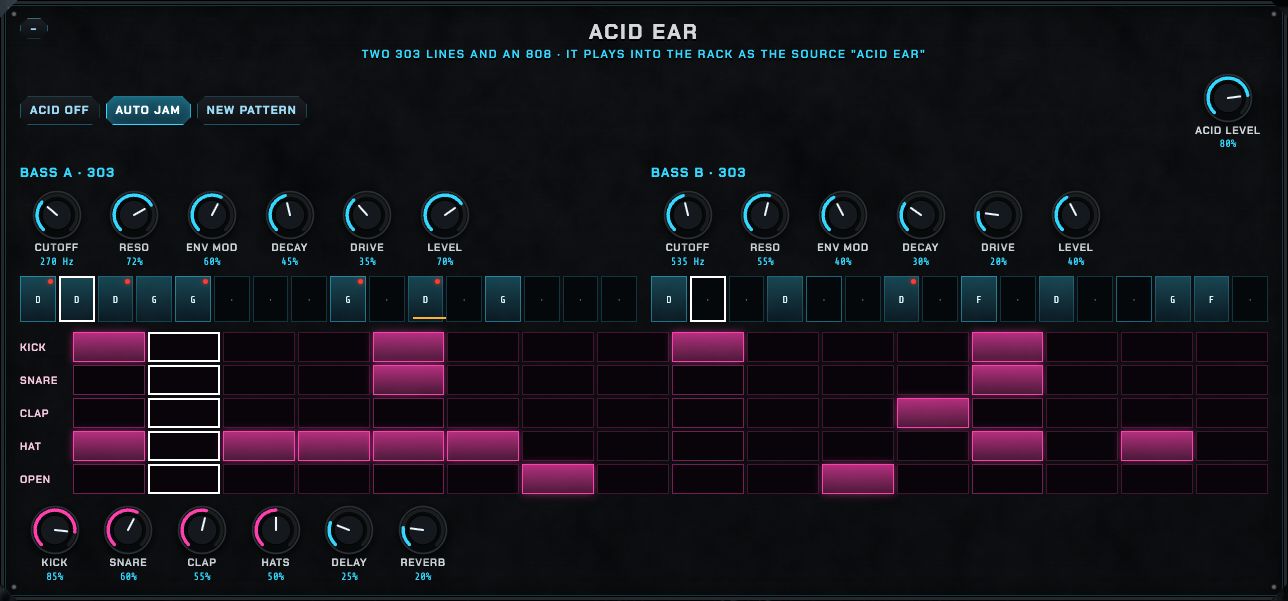
The machine's oldest part: a self-contained acid jam of two 303 bass lines and an 808 drum pattern, drawn as step grids. Acid on switches it on; New pattern writes fresh lines; Auto jam keeps varying them, the way a live acid set does. Each bass line has its own knobs (cutoff, resonance, envelope, decay, accent, drive, level, wave). The box plays into the rack as the source Acid Ear (in the patch bay's outputs), so it can be mixed on the Console, processed, or sent to the ear like anything else.
Sampler
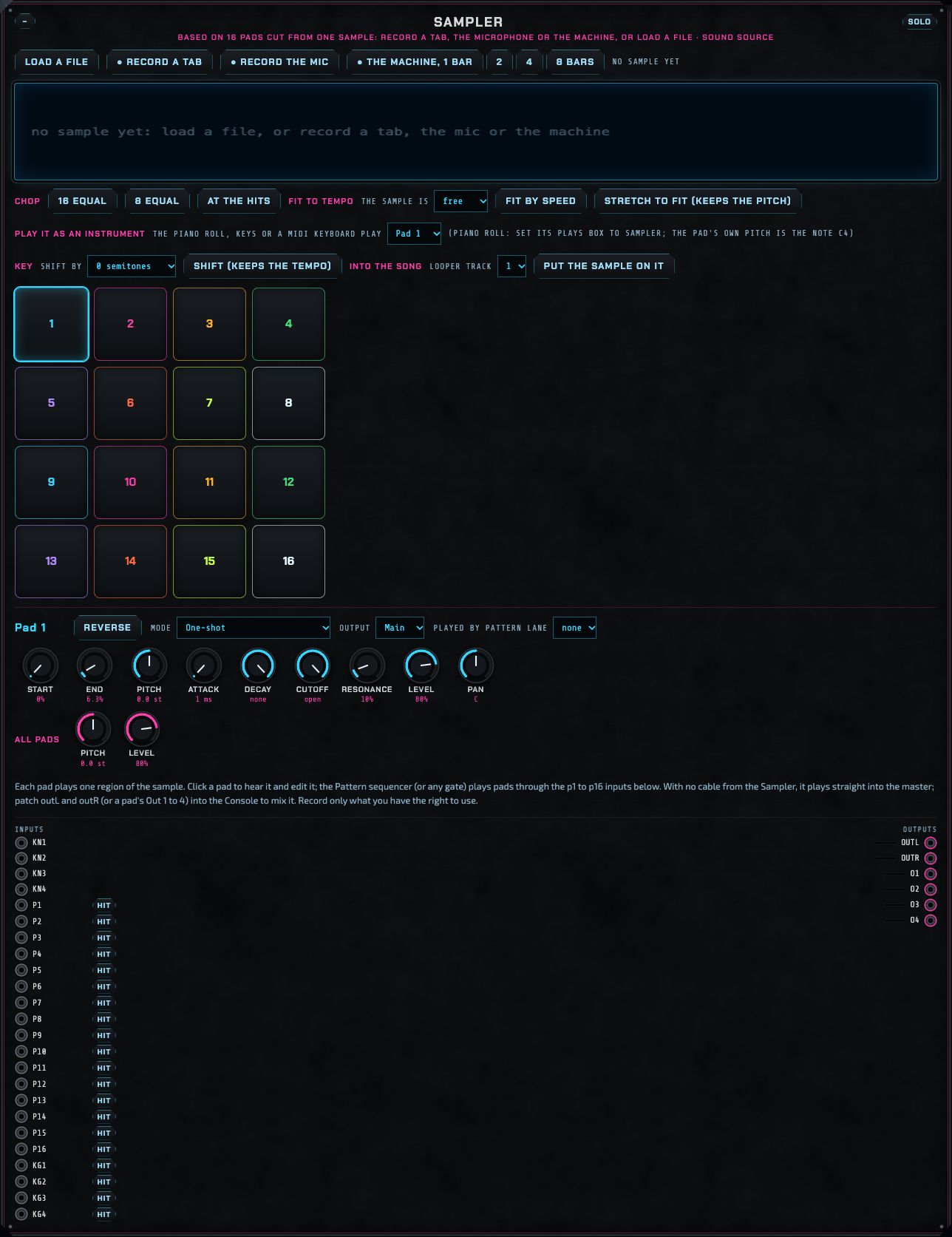
The Sampler: one sample, cut into sixteen pads.
The Sampler holds one recording and cuts it into sixteen pads; each pad plays its own region of the recording, with its own pitch, envelope, filter, level and pan. It is the place for vocal chops, drum breaks, found sounds and resampling the machine itself.
Getting a sample in
Load a file: any audio file the browser can read (WAV, MP3, AIFF, FLAC…), up to the first 60 seconds.
● Record a tab: records the sound of another browser tab (choose the tab and tick Share tab audio). ● Record the mic: records your microphone. Press ■ Stop recording when done. These buttons appear only where the browser allows them. Record only what you have the right to use.
● The machine, 1 bar / 2 / 4 / 8 bars: resamples the machine itself, starting on the next bar line, for exactly that many bars, so the result loops perfectly. Great for turning a patch into a loop you can chop.
Cutting it into pads
Chop: 16 equal / 8 equal divides the sample evenly; At the hits puts a pad on each sound the machine detects (drum hits, syllables).
Click a pad to hear it and select it; drag the edges of its region on the waveform to change where it starts and ends.
Fitting it to the song
Fit to tempo: say how many bars the sample is, then either Fit by speed (plays it faster or slower, like a record: pitch changes) or Stretch to fit (keeps the pitch) (changes its length without changing its pitch, using the Signalsmith stretcher).
Key: shift by a number of semitones, then Shift (keeps the tempo): changes the pitch without changing the length.
Undo: back to the original returns the sample to how it was before the stretches and shifts.
Each pad's settings
Start and end (the region), pitch (in semitones), reverse, Mode (One-shot plays the region through; Loop repeats it until the pad is pressed again; While held plays only as long as its gate is held), attack and decay, a low-pass filter (cutoff and resonance), level, pan, and Output: the main output or one of the four separate outputs (Out 1–4), so a pad can have its own Console strip.
Playing the pads
Click a pad, or patch any gate into its p1–p16 input: the Sequencer, the Pattern lanes or Breaks are the usual choices. Played by Pattern lane sets up the cable for you.
Play it as an instrument: one pad becomes a playable instrument: the Piano roll (set its Plays box to Sampler), the Keys module or a MIDI keyboard play it chromatically, up to four notes at once. The pad's own pitch is the note C4. Patched by hand, these are the kn1–kn4 (pitch) and kg1–kg4 (gate) inputs.
Into the song: puts the whole sample onto a Looper track, as many whole bars as it fills, starting on the next bar.
If nothing is patched from the Sampler's outputs, it plays straight into the master so you always hear it; patch outL and outR into a Console strip to mix it with everything else. The sample and the pad settings are kept in this browser and in song files.
Audio tracks
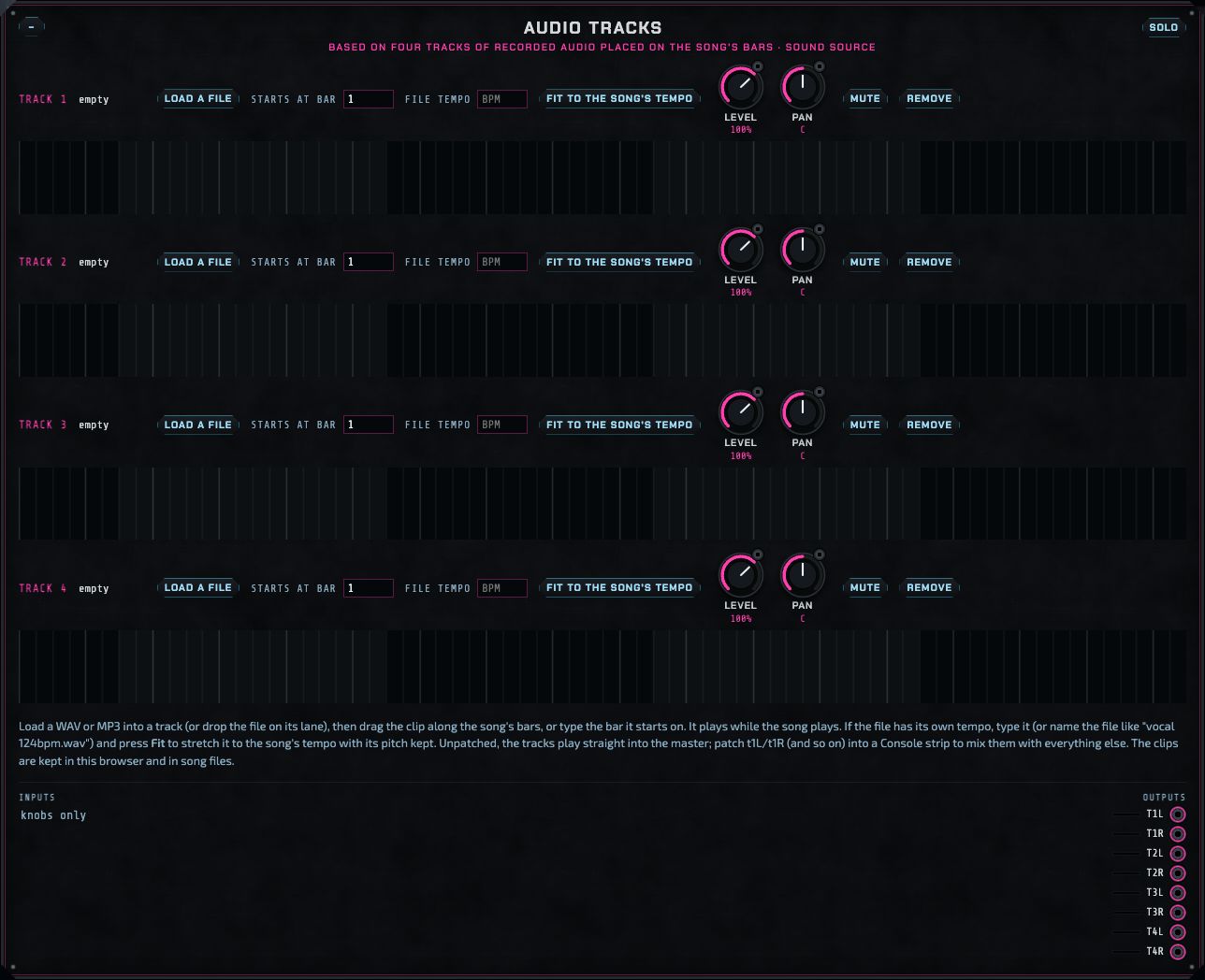
Four audio tracks, placed on the song's bars.
Audio tracks put recorded audio (a vocal, a guitar part, a stem from another program) onto the song's timeline, the way a DAW does. There are four tracks; each holds one clip.
Load a file, or drop an audio file onto a track's lane.
Drag the clip along the lane to move it, bar by bar, or type the bar it starts on in Starts at bar. The lane shows the song's sections as bands and every bar as a line.
If the file has its own tempo, type it in File tempo (or name the file with its tempo, like vocal 124bpm.wav, and the machine reads it), then press Fit to the song's tempo: the clip is stretched to the song's tempo with its pitch kept.
Level and Pan are ordinary knobs, so they can be automated or modulated. Mute silences the track; Remove clears it.
Clips play while the song plays (not with Play patch), from the bar you set, with short fades at their edges so nothing clicks. With nothing patched from them, the tracks play straight into the master; patch t1L/t1R (and t2–t4) into Console strips to mix, EQ and send them like everything else. The clips are kept in this browser and saved in song files.
Note sources: what plays when
Four panels decide what notes and rhythms the machine plays. Each sends gates (when) and notes (which pitch) through cables, so any of them can play any sound source. Choose by the job:
A chord progression that changes bar by bar, with an arpeggiator and a slow sweep for filter builds.
All of them start from the top of each song section, so each scene's patterns line up with the bar line. The Keys module and a MIDI keyboard are the live, hands-on note sources.
Sequencer
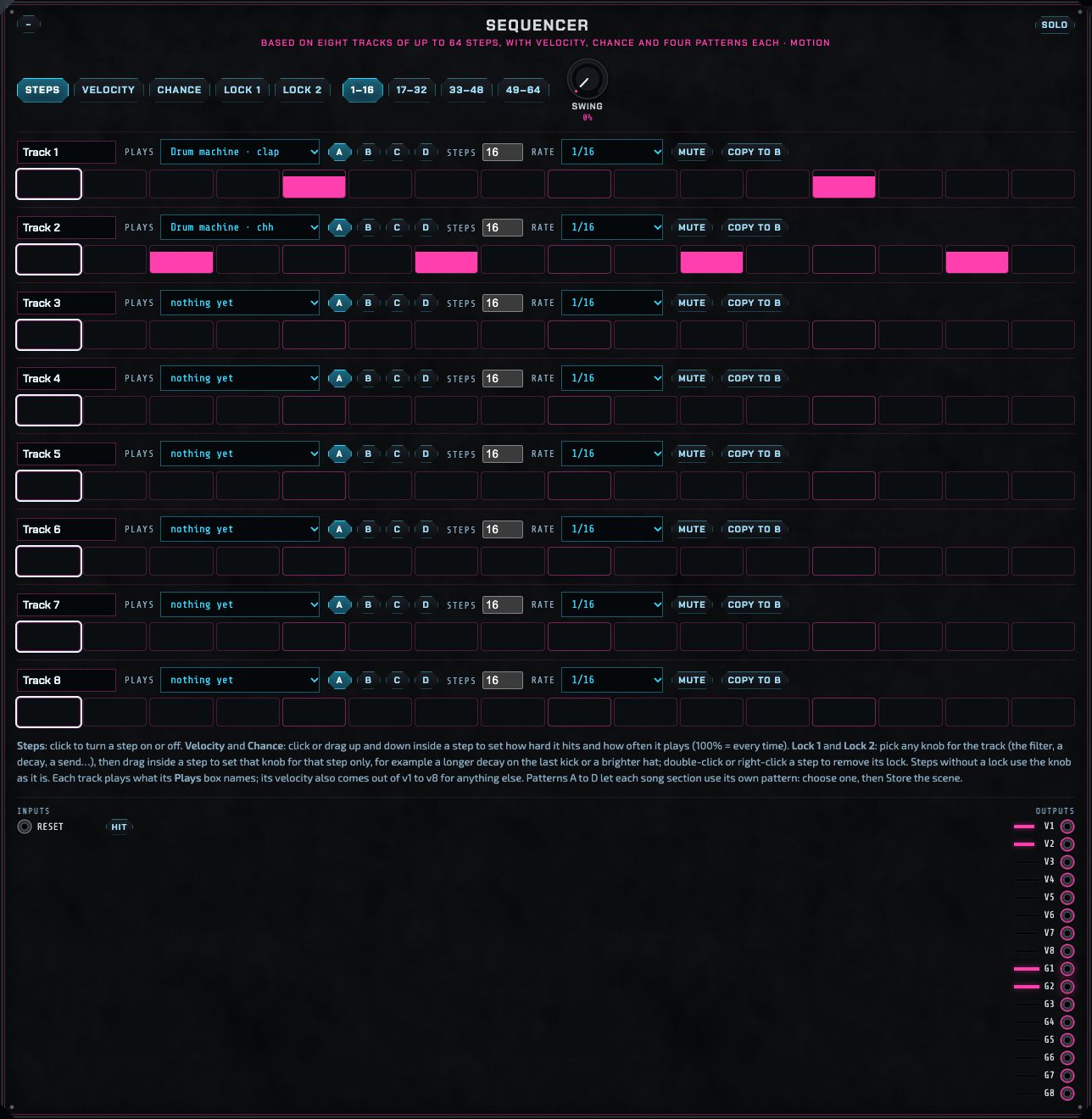
The Sequencer with a clap on track 1 and a closed hat on track 2.
Eight tracks, each up to 64 steps long, each playing one sound. Each track has four patterns (A–D), so every song section can use a different one.
A track
Name
Type anything (Kick, Hats…).
Plays
What the track triggers: every gate input in the rack is listed (Drum machine · kick, Sampler · p3, Voicebox · trig…). Choosing one makes the cable for you.
A B C D
The pattern the track plays. Store a scene after choosing, so each section of the song can play its own pattern.
Steps
The track's length, 1 to 64 steps. Tracks of different lengths drift against each other, which makes long, evolving rhythms out of short patterns.
Rate
How fast the steps go: 1/8, 1/16, 1/16 triplets or 1/32 notes.
Mute
Silences the track.
Copy to B
Copies the current pattern (with its velocities, chances and locks) into the next one, a quick start for a variation.
Editing the steps: the five modes
Steps
Click a step to turn it on or off.
Velocity
Click or drag up and down inside a step to set how hard it hits. The velocity comes out of the track's v1–v8 output, so it can also be patched into any knob (for example a hat's decay).
Chance
How often the step plays: 100% every time, 50% half the time. Low chances on ghost notes and hats keep a loop alive.
Lock 1 / Lock 2
Per-step knob settings. Pick any knob for the track in the Lock box (the instrument the track plays is listed first), then drag inside a step to set that knob for that step only: a longer kick decay on the last beat, a brighter hat on the offbeats, a delay send on one clap. Double-click (or right-click) a step to remove its lock. Each track has two lock lanes. A locked value holds until that track's next step that plays; steps without a lock use the knob as it is.
The page buttons (1–16, 17–32…) show longer patterns; Swing pushes every second 16th note later for a shuffled feel. The track's gate outputs are g1–g8. The Sequencer can also send its tracks to a drum machine or app over MIDI (see MIDI).
Piano roll
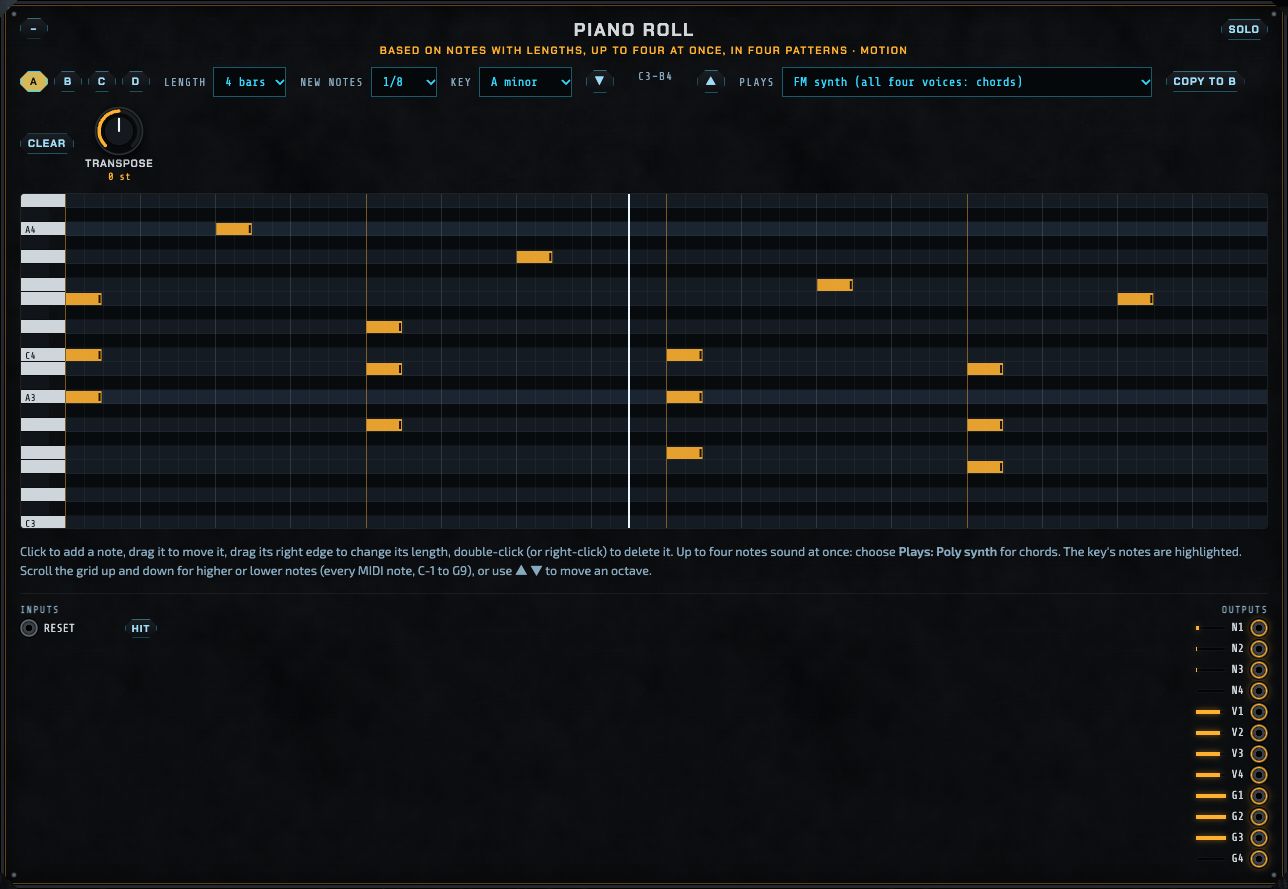
A four-bar chord progression drawn in the Piano roll, playing the FM synth.
The Piano roll is for melodies, bass lines and chords: notes with lengths, drawn on a grid over a piano keyboard. Up to four notes sound at once.
Drawing
Click to add a note (its length is the New notes value), drag a note to move it, drag its right edge to change its length, double-click or right-click it to delete it. Notes snap to 16th notes.
The keyboard and scrolling
The grid covers every MIDI note, from C-1 to G9. Scroll it up and down with the mouse wheel or trackpad (the keys move with it) or use ▲ ▼ to move an octave; the readout shows the notes in view. It opens on your notes, or around middle C.
Key
Highlights the notes of a key (A minor, C major, D minor, E minor, F minor or Chromatic), so you can stay in key without thinking about it. The key's root note is the brightest row.
A B C D
Four patterns; Copy to … copies the current one into the next. Clear empties the current pattern.
Length
1, 2, 4 or 8 bars.
Transpose
Moves every note up or down, ±24 semitones; it can be automated or modulated.
Plays
What the notes play: the Poly synth or FM synth (all four voices: chords), the Sampler (the pad in its Play it as an instrument box), the Acid bass, the Voicebox or Voicebox 2, the Weaver or the Modal voice (one note at a time). Choosing one makes the cables and tunes the instrument so the notes you draw come out exactly.
By hand, the outputs are n1–n4 (pitch, one volt per octave around C4), g1–g4 (gates) and v1–v4 (velocity). A note straight after another on the same voice re-strikes, because each gate drops for 3 milliseconds before its note ends. The Piano roll also plays out over MIDI on channel 1.
Pattern
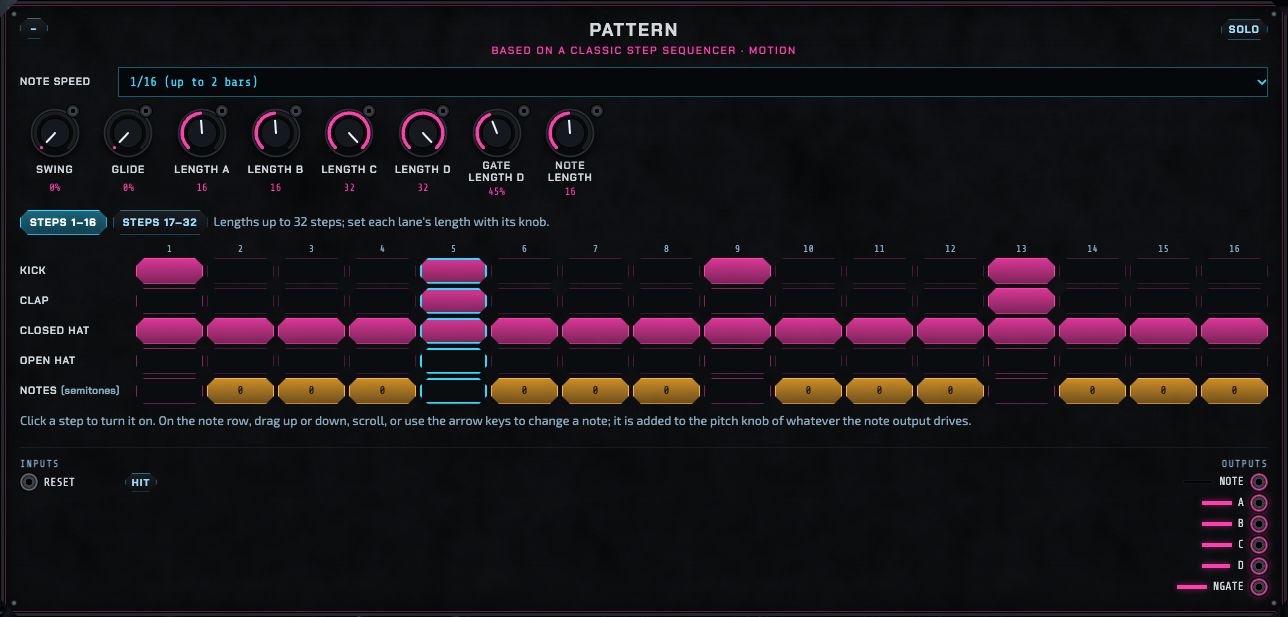
Pattern: four gate lanes and a note lane.
A classic step sequencer, in the spirit of the hardware ones on old drum machines and the TB-303. It has four gate lanes (A–D, named after what they play) and a Notes row.
Click a step to turn it on. Each lane can have its own length (its Length knob, up to 32 steps), so lanes of different lengths make polyrhythms.
On the Notes row, click a step to turn it on, then drag up or down, scroll or use the arrow keys to set its note, in semitones. The note is added to the pitch knob of whatever the note output drives.
Note speed sets the step length: 1/16 (two bars over 32 steps), 1/8 or 1/4. Swing delays every second step; Glide slides between notes; Gate length D and Note length set how long lane D and the notes hold.
Steps 1–16 / 17–32 show the two halves of the grid.
Outputs: a, b, c, d (gates), note (pitch) and ngate (the note row's gate). In the Melodic house track, Pattern plays the bass line.
Chords
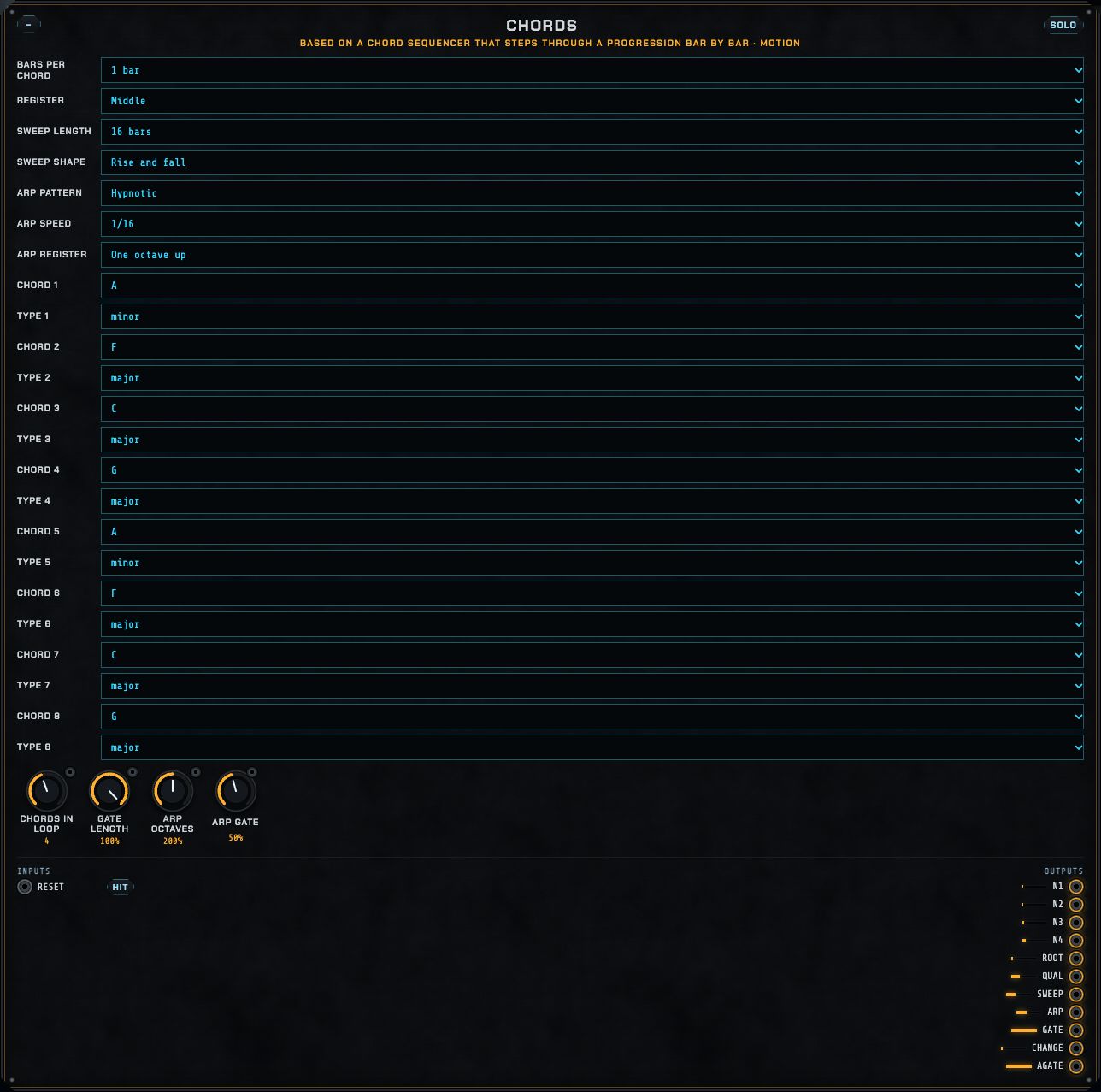
Chords: a progression that changes bar by bar.
Chords plays a chord progression: up to eight chords, each a root and a type, changing every 1, 2 or 4 bars. It sends four chord notes at once (to the Poly synth or FM synth, which play chords), an arpeggio of the same chord, and a slow sweep for builds.
Chord 1–8, Chords in loop
Each chord's root and type (minor, major, sevenths, suspended and so on). Chords in loop says how many of them are used.
Bars per chord, Register, Gate length
How long each chord lasts, how high it sits (low, middle, high; the root is always kept below the centre so chords don't jump around), and how long the chord notes hold within the bar.
Sweep length, Sweep shape
The sweep output is a slow ramp over 4 to 32 bars: rise and fall, rise, then start again or rise and hold. Patch it into a filter's cutoff for a build that opens over a whole section. It restarts at each song section.
Arpeggiator
Arp pattern (up, down, up and down, or Hypnotic, a looping eight-step figure), Arp speed, Arp register (with the chords, or one or two octaves up), Arp octaves and Arp gate. The arpeggio comes out of arp (pitch) and agate (gate): in Melodic house it plays the lead on the Weaver.
Outputs: n1–n4 (the chord's notes), root, qual (the chord type), sweep, arp, gate, change (a trigger at each new chord) and agate.
Console
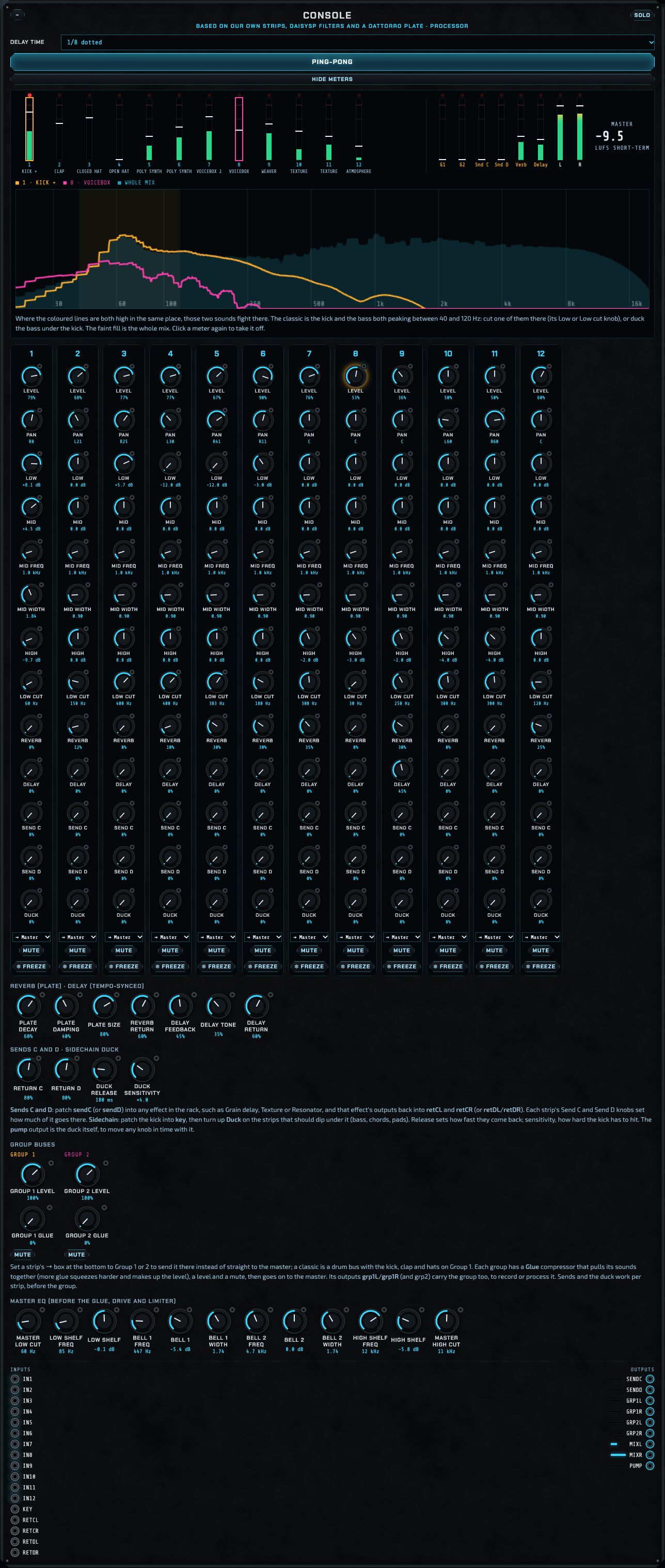
The Console: twelve strips, effects, sends, groups and the master EQ.
The Console is the mixing desk. Each of its twelve strips takes one sound (patch a source's output into the Console's in1–in12), and everything is summed, with a plate reverb, a tempo-synced delay, two more send buses, a sidechain duck, two group buses and the master EQ.
A channel strip, top to bottom
Level
The strip's volume.
Pan
Left to right placement.
Low, Mid (with Mid freq and Mid width), High
A three-band EQ: a low shelf at 180 Hz, a sweepable bell, and a high shelf at 5 kHz, each ±12 dB.
Low cut
Removes everything below its frequency (20 to 600 Hz). Clean up everything except the kick and bass with it, so the low end belongs to them.
Reverb, Delay
How much of the strip goes to the plate reverb and the delay.
Send C, Send D
How much goes to the two patchable send buses (below).
Duck
How far the strip dips when the sidechain key (usually the kick) hits.
Mute
Silences the strip.
→ Master / → Group 1 / → Group 2
Where the strip goes. Strips sent to a group show a coloured line along their bottom.
The plate reverb (after Jon Dattorro's classic design) has decay, damping (darker as it rises), size and return level. The delay is synced to the tempo: choose its time (1/16 to 1/2, dotted and triplet), feedback (how many repeats), tone (each repeat darker) and return level; Ping-pong bounces the repeats left and right.
Sends C and D
Two more send buses for any effect in the rack. Patch sendC into an effect's input (Grain delay, Texture, Resonator…), patch that effect's outputs back into retCL and retCR, and turn up Send C on the strips that should feed it. Return C and Return D set how loud the effects come back.
Sidechain duck
The pumping sound of house music: patch the kick into the Console's key input, then turn up Duck on the strips that should dip under it (bass, chords, pads). Duck release sets how fast they come back; Duck sensitivity how hard the kick has to hit (at 100% Duck a normal kick dips the strip fully). The pump output is the duck itself, to move any knob in time with it, such as a filter that opens between kicks.
Group buses
Set a strip's → box to Group 1 or 2 to send it there instead of straight to the master. Each group has a Glue compressor that squeezes its sounds together and makes up the level, a level and a mute, then goes on to the master. The classic use is a drum bus: kick, clap and hats on Group 1, with a little glue. The outputs grp1L/R and grp2L/R carry each group too, to record or process.
Master EQ
Twelve knobs that shape the whole mix before the master chain: a low cut, a low shelf, two bells (frequency, gain, width), a high shelf and a high cut.
Outputs
sendC, sendD, grp1L/R, grp2L/R, mixL/R (a copy of the whole Console mix, to record into the Looper for example) and pump.
The meter bridge
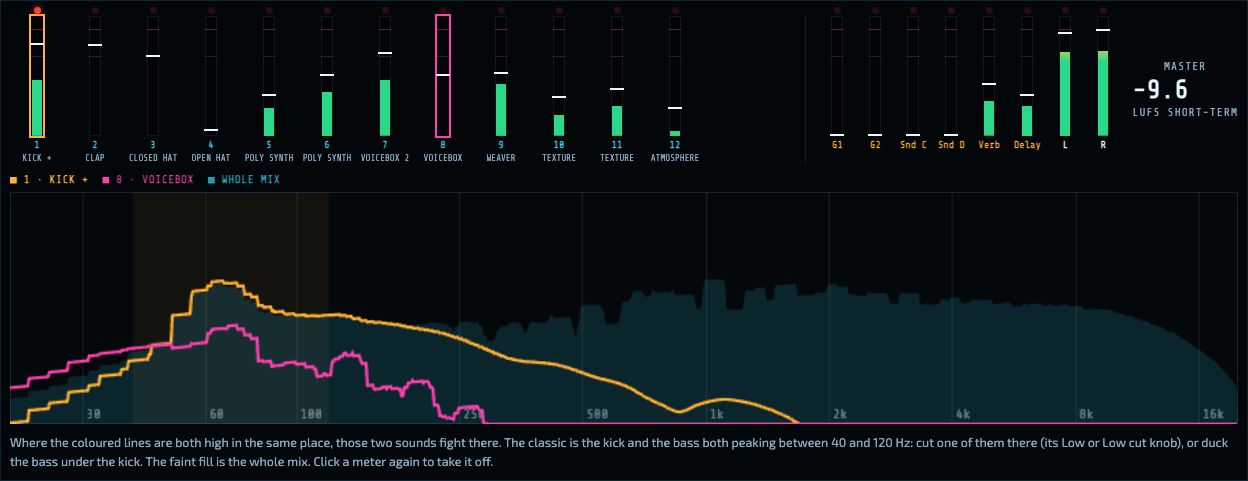
The meter bridge, with the kick (amber) and the bass (pink) shown on the spectrum: both are strong between about 40 and 100 Hz.
One meter per strip, named after what is plugged into it (hover for the full list): the green bar is the average level, the white line the peak (it falls back slowly), the marks are at −12 dB and 0 dB. The red light comes on when a strip goes over 0 dB; click it to clear it. An amber bar coming down from the top shows the duck.
Bus meters: G1 and G2 (their amber bar is the glue squeezing), Send C and D, Verb and Delay, and the master's left and right with its short-term loudness.
Click a strip's meter to show its spectrum (amber) right under the bridge; click a second one to compare it (pink); click a meter again to take it off. Where both lines are high at the same place, those sounds fight there. The same lines also appear on the big Mix meters spectrum.
Hide meters folds the bridge away.
Freeze
Every strip has a ❄ Freeze button. Pressing it records what comes into the strip for one pass of the song (or 8 bars if there is no song), then the strip plays that recording, and the modules that only fed it stop running, which frees up the computer. The strip's EQ, fader, sends, duck and group still work on the recording. Modules that are resting are faded and show ❄ frozen in their title. Press ❄ again to bring everything back live. Freezes are kept in this browser: after a reload they come back as soon as you press Play, as long as the same cables still feed the strip. They are saved in song files too. Loading another patch unfreezes everything. A song-length freeze plays only while the song plays.
The rack and patching
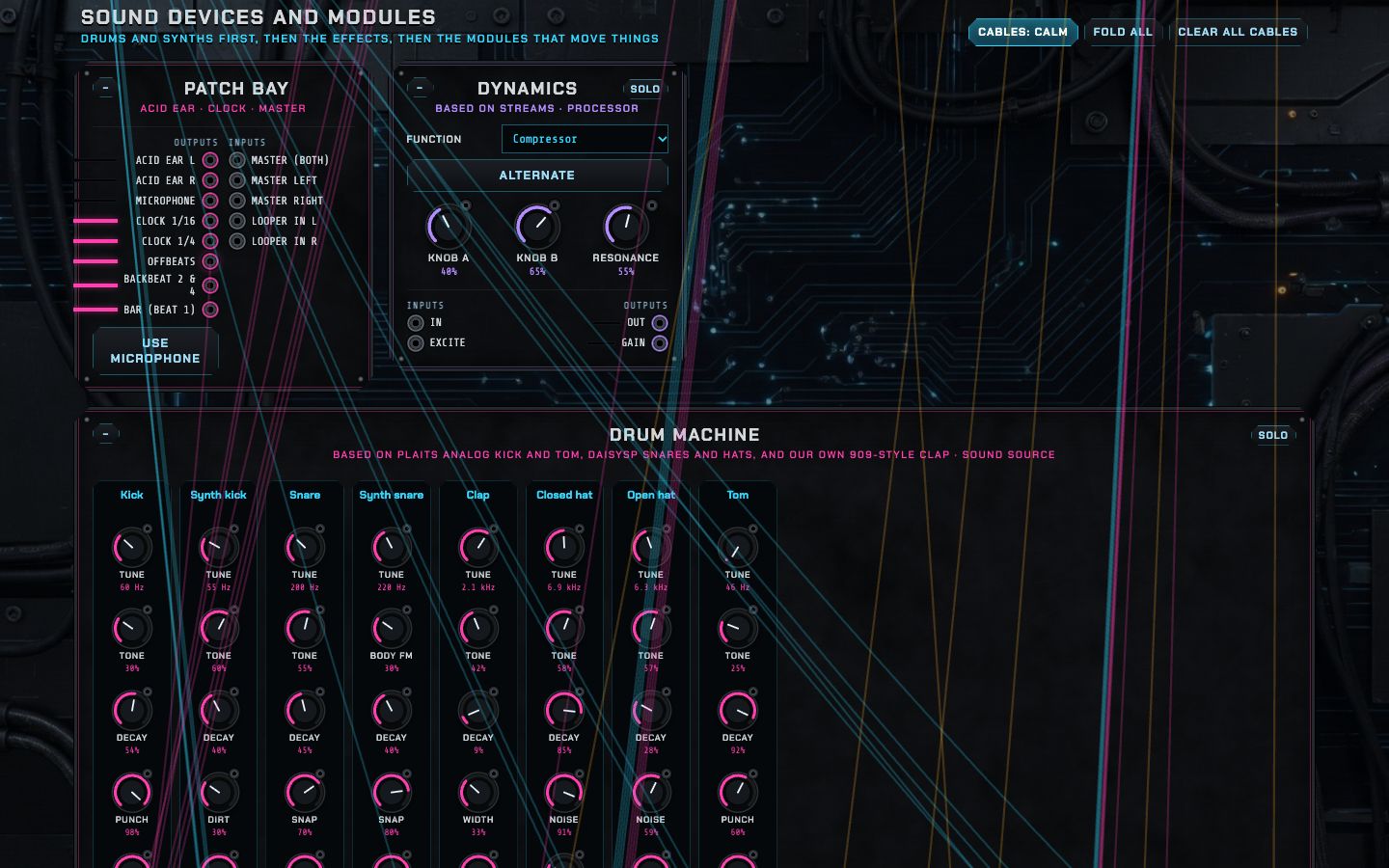
The rack with the Melodic house cables: blue for sound, amber for modulation, pink for gates.
Below the Console is the rack: every sound source, effect and modulator, laid out like a wall of modules. Drums and synths come first, then the effects, then the modules that move things. The modules pack together so there are no gaps; full-width modules (the Drum machine, the Sampler…) take a whole row.
Making and changing cables
Click an output jack (right-hand side, under Outputs), then an input jack (left-hand side) or a knob jack (the small circle at a knob's top-right). The kind of cable follows from the two ends: sound into a sound input is blue, anything into a knob is amber, anything into a gate input (the ones with a HIT button) is pink.
Click a cable to set its amount (how much of the signal arrives) or Remove it.
The little level line before each output shows its signal live.
HIT next to a gate input fires it by hand: the quickest way to hear a drum or an envelope.
Solo on a module plays only that module, straight to the speakers and the ear, while you shape it.
Cables: calm / all / off changes how cables are drawn: calm fades them so the modules stay readable, all shows them fully, off hides them (they still work). Clear all cables removes every cable (undo brings them back).
Folded modules keep their cables: they plug into a striped cable channel under the title, each at its jack's place.
Rules worth knowing
Two cables into one input add together. One output can feed any number of inputs.
Every cable delivers its signal one block later (2.7 milliseconds), the way a real cable would if sound were slow. That makes feedback loops safe: patch an effect back into itself and it rings rather than exploding.
A modulation cable at 100% swings a knob across its whole range; pitch knobs follow one volt per octave, so note sources at 100% play exact notes.
Some knobs only matter in some modes, as on the real modules: the Voicebox's Decay and Colour need a trigger; Segments' Decay, Sustain and Release need an envelope shape; Modal's Bow and Blow tones need Bow or Blow turned up.
The patch bay
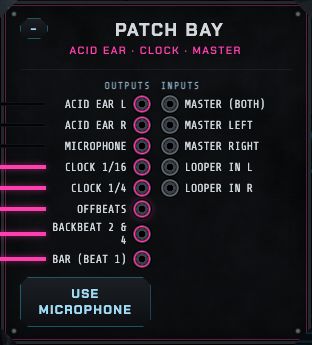
The first module in the rack holds the machine's own connections. Outputs: the Acid Ear box's left and right, the microphone (press Use microphone), and the clocks: Clock 1/16, Clock 1/4, Offbeats, Backbeat 2 & 4 and Bar, all locked to the tempo. Inputs: Master (both sides, or left or right only) and Looper in L/R. Anything patched into Master goes straight to the master chain without the Console.
Sound sources
Each module below has a picture, an explanation of what it does and how to use it, and a table of its controls and jacks read from the machine itself.
Drum machine
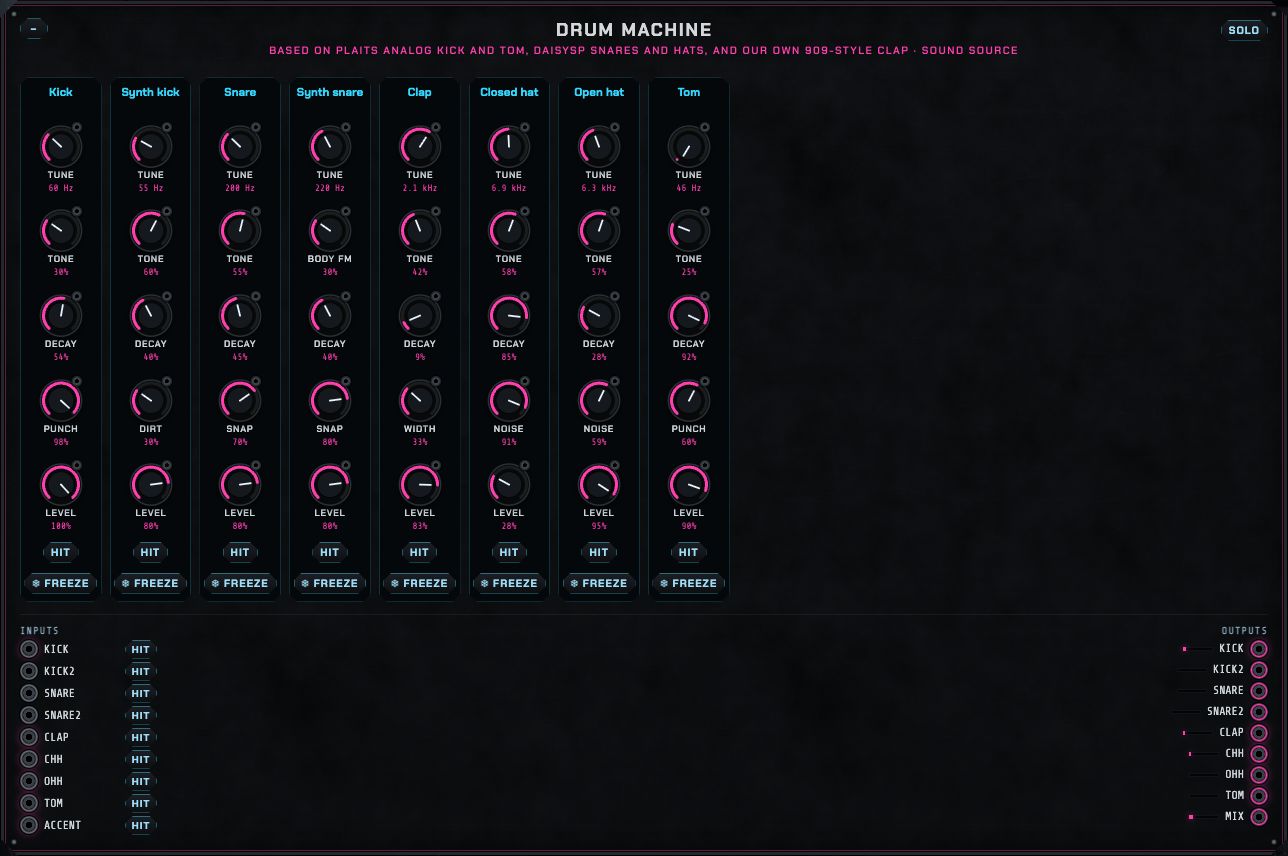
Eight drums, each a strip of five knobs: Tune, Tone, Decay, a character knob and Level.
Kick: an analog-style bass drum (from Plaits). Punch adds the click of the attack; long decays make a booming 808.
Synth kick: a sine kick with a pitch sweep. Dirt adds grit.
Snare (analog) and Synth snare (FM body with Body FM): Snap sets the noise of the snares.
Clap: a 909-style clap. Width spreads the burst of hand claps.
Closed hat, Open hat: metallic noise. Noise blends in plain noise. The closed hat cuts off the open one, as on the real machines.
Tom: the analog bass drum tuned up.
Trigger each drum through its own gate input (kick, snare, clap, chh…); the Sequencer's Plays box lists them. accent makes the next hits louder. Each drum has its own output for its own Console strip, and mix carries them all.
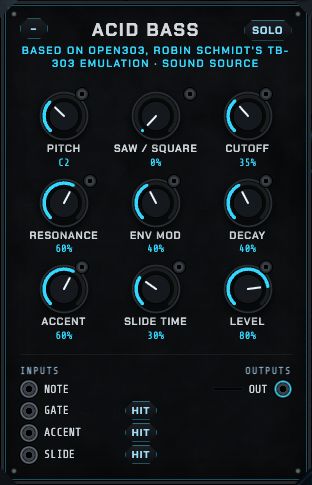
Acid bass
A TB-303 emulation (Open303, by Robin Schmidt): the squelchy bass of acid house. A sawtooth or square wave goes through the 303's resonant filter, whose envelope gives each note its "wow".
Cutoff and Resonance are the sound; Env mod how far the filter opens on each note; Decay how fast it closes.
Accent: accented notes (the accent gate) are louder and squelchier. Slide time: notes with slide held glide into the next.
Play it with note (pitch) and gate: from the Pattern, the Piano roll (Plays: Acid bass) or Keys.
The real trick of acid is moving Cutoff and Env mod by hand (or with automation) while a pattern plays.
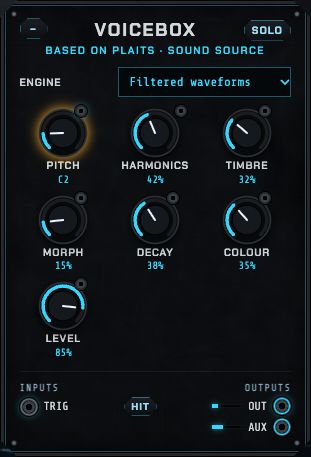
Voicebox and Voicebox 2
Two copies of Émilie Gillet's Plaits, a "macro oscillator" with 24 different engines in one module. Choose the Engine, then shape it with Harmonics, Timbre and Morph, whose meaning changes with the engine:
Filtered waveforms
A classic synth voice through a resonant filter; Harmonics changes the waveform, Timbre the cutoff.
Phase distortion
The bright, buzzy sound of Casio's CZ synths.
Six-operator FM (a, b, c)
Three banks of 32 DX7 patches; Harmonics picks the patch, Timbre the brightness, Morph the envelope. (The FM synth plays the same patches with chords and an editor.)
Wave terrain
Reads a waveform from a 2-D landscape: evolving, glassy tones.
String machine
Lush, chorused string-ensemble chords.
Chiptune
Square-wave arpeggios like old game consoles.
Pair of classic waveforms
Two oscillators (saw, square, triangle) with detune and sync.
Waveshaper
A sine bent into rich tones by a waveshaping curve.
Two-operator FM
Simple FM: Harmonics is the ratio, Timbre the amount, Morph feedback.
Granular formants
Vocal-like formant tones.
Harmonic oscillator
An organ of sine harmonics; Timbre moves the centre of the harmonics.
Wavetable
Sweeps through banks of waveforms.
Chords
Plays a chord (Harmonics chooses which) from one pitch.
Vowels and speech
Formant vowels and robot speech; it shapes its own envelope.
Granular cloud, Filtered noise, Particle noise
Clouds of grains and noises: textures, wind, rain.
Inharmonic string, Modal resonator
Plucked and struck physical models: strings, bells, wood.
Analog kick, Analog snare, Analog hi-hat
Drum engines; trigger them like the Drum machine.
Pitch sets the note (patch a note source into its jack to play melodies). With the trig input patched, each trigger plays a note through Plaits' low-pass gate: Decay sets how long it rings and Colour how bright. Without a trigger, the voice drones. out is the main sound; aux is a related variant (a different waveform, a sub, the raw string…). In Melodic house, Voicebox plays the bass and Voicebox 2 part of the pad.
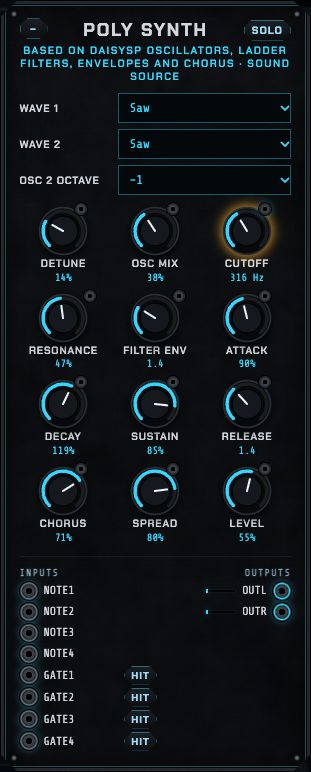
Poly synth
A four-voice analog-style synth for chords and pads (built from DaisySP parts): two oscillators per voice, a ladder low-pass filter with its own envelope, a volume envelope and a stereo chorus.
Cutoff, Resonance and Filter env (how far each note opens the filter).
Attack, Decay, Sustain, Release: the shape of each note. Long attack and release make pads; short ones plucks.
Chorus and Spread: width.
Play it with four note and gate pairs (note1/gate1 … note4/gate4): from Chords, the Piano roll (Plays: Poly synth) or Keys. Without cables it follows Keys directly. In Melodic house it plays the pad.
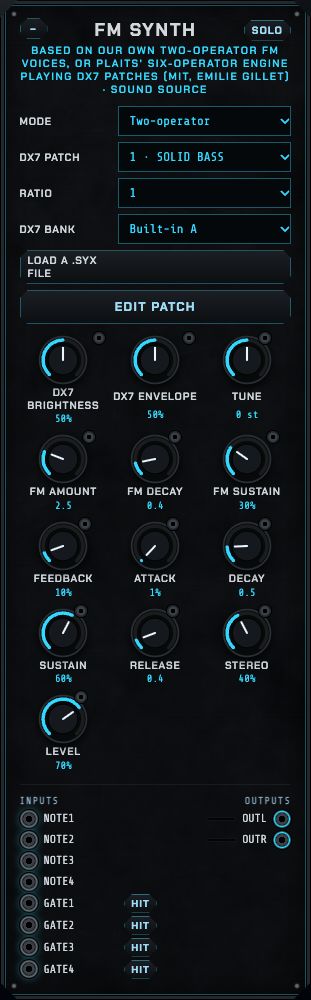
FM synth
Frequency modulation: one oscillator bends the pitch of another so fast that it changes the tone, giving the glassy, bell-like and electric-piano sounds of the 1980s. It has two modes and plays four notes at once.
Two-operator mode
Ratio sets the character: 1 warm, 2 hollow, 3.5 and up bell-like. FM amount how bright.
FM decay and FM sustain shape the brightness over each note: a short decay gives plucks. Feedback adds grit.
Attack, Decay, Sustain, Release shape the volume; Decay and Release reach silence in the time they show.
DX7 mode
Set Mode to DX7 (six-operator). The voices become Plaits' six-operator engine, which plays real DX7 patches.
DX7 bank: Built-in A (mostly basses), B (electric pianos, keys, bells, percussion) or C (organs, pads, strings, brass): 32 classic patches each. Load a .syx file takes your own: a DX7 32-voice bank becomes Yours, a single-voice file goes into the selected slot. Thousands of DX7 banks are free online.
DX7 patch lists the bank's patches by name.
DX7 brightness and DX7 envelope (0.5 = as designed) make any patch brighter or darker, faster or slower, without editing it.
Each note lane has two voices that take turns, so a note's release rings on while the next begins.
Tune, Stereo (in DX7 mode it spreads the four voices across left and right) and Level work in both modes. Play it like the Poly synth: note and gate pairs, the Piano roll (Plays: FM synth), the Sequencer or Keys. Your bank (including a loaded one) is saved with the patch and song files.
The engine is Plaits (MIT licence). The built-in banks are Émilie Gillet's selection of classic DX7 patches, which include Yamaha factory voices that are not under an open licence.
The DX7 patch editor
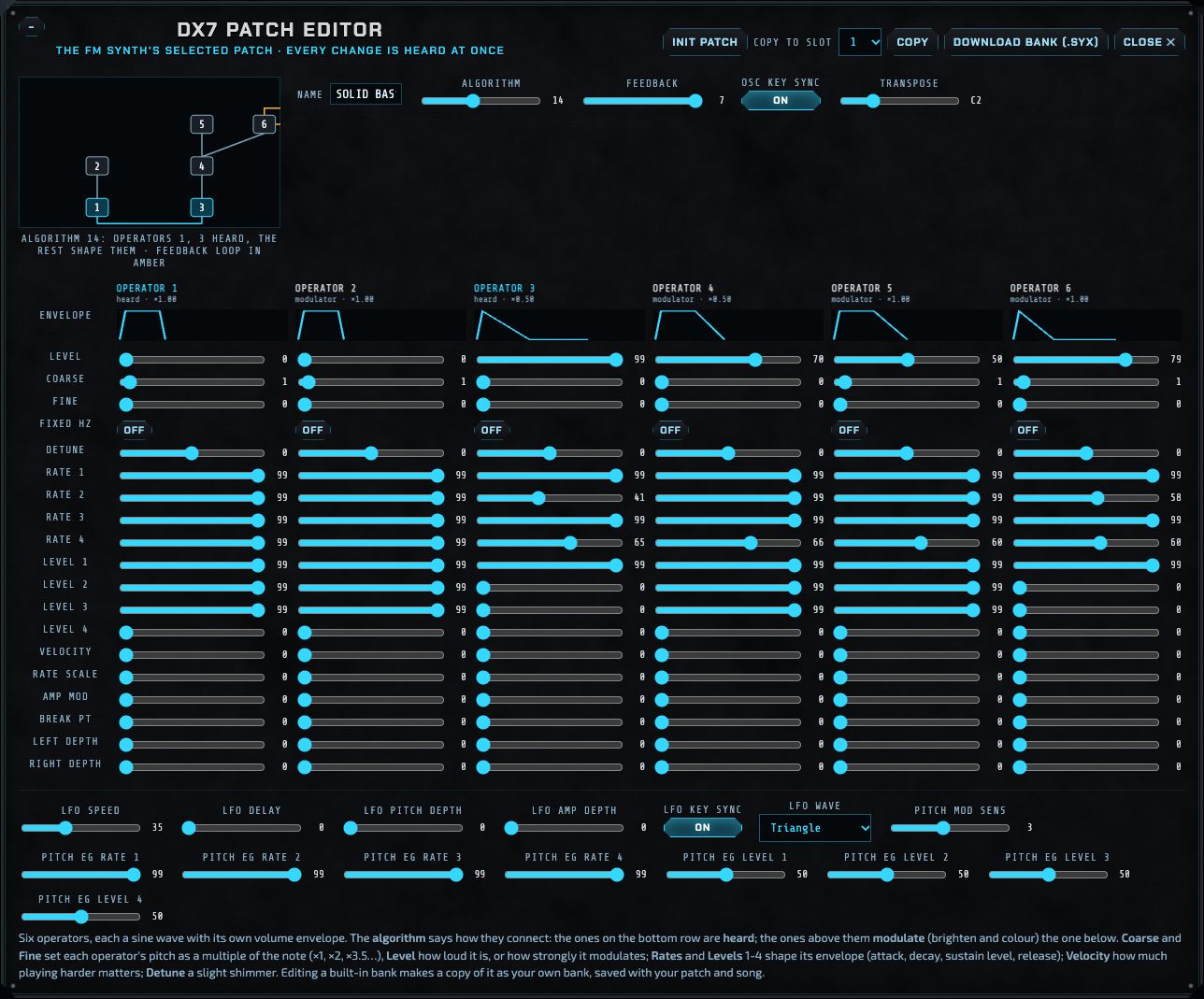
Press Edit patch on the FM synth. The editor opens across the rack and edits the selected patch; every change is heard at once, even while a note plays.
The algorithm says how the six operators connect. The diagram is drawn from the engine's own table: operators on the bottom row (blue) are heard; operators above modulate (brighten, colour) the one below; the amber line is the feedback loop.
Each operator is a sine wave with its own envelope. Level is how loud it is (if heard) or how strongly it modulates. Coarse and Fine set its pitch as a multiple of the note (shown as ×1.00, ×2.00, ×3.50…); Fixed Hz makes it ignore the keyboard. Detune adds a slight shimmer. Rate 1–4 and Level 1–4 are its envelope: attack to level 1, decay to level 2, then level 3 (held while the key is down), release to level 4; the little picture shows the shape. Velocity, Rate scale (higher notes faster), Amp mod (LFO tremolo) and the keyboard scaling (Break pt, Left depth, Right depth) fine-tune it across the keyboard.
Below: the patch's name, Feedback, Osc key sync, Transpose, the LFO (speed, delay, pitch and amp depth, key sync, wave, pitch mod sensitivity) and the pitch envelope (four rates and levels).
Init patch starts from the DX7's own blank voice: one plain sine. Copy to slot copies the patch elsewhere in the bank. Download bank (.syx) saves the bank as a real DX7 file (it opens in Dexed and on a real DX7).
Editing a built-in bank makes your own copy first, so the originals stay as they were.
A good way to learn it: press Init patch, then raise operator 2's Level (algorithm 1: 2 modulates 1) and hear the sine become bright; change operator 2's Coarse to hear the colour change; shorten operator 2's Rate 2 for a pluck.
West coast oscillator
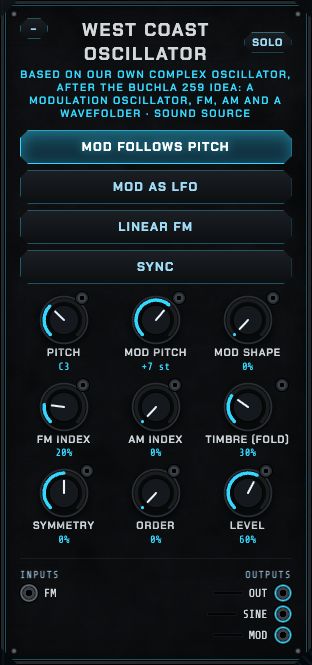
A complex oscillator in the tradition of Don Buchla's 259, the heart of "West Coast" synthesis: instead of starting bright and filtering down (the East Coast way), it starts with a pure sine and adds overtones by modulating and folding it. Two oscillators live inside:
The modulation oscillator: its Mod shape morphs from sine through triangle and saw to square. Mod pitch sets it in semitones from the main pitch while Mod follows pitch is on (so the tone stays the same across the keyboard), or from C3 when it is off. Mod as LFO slows it a hundred times, for vibrato and slow timbre movement. Its output is mod.
The principal oscillator: a sine at Pitch (patch a note source into Pitch's jack to play it). The modulation oscillator bends its pitch by FM index (exponential, or Linear FM for more stable, bell-like sidebands) and its level by AM index. Sync restarts it with each cycle of the modulator, for hard, tearing tones.
The wavefolder: Timbre folds the sine back on itself again and again, adding overtones smoothly, the signature West Coast sound; at 0 it is a pure sine. Symmetry folds one side more than the other; Order changes the fold from rounded to sharp. It runs at twice the sample rate inside, so the folding stays clean.
Outputs: out (the folded sound), sine (the principal oscillator before folding) and mod. The fm input takes any sound or signal as extra FM. Pair it with the Low-pass gate and the Twin slope, as in the recipe A West Coast voice.
Atmosphere
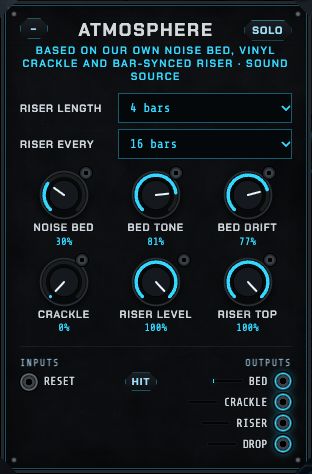
The air around a track: a soft noise bed through a slowly drifting filter (distant wind), sparse vinyl crackle, and a riser: a noise sweep that rises over the last 2, 4 or 8 bars of every 8, 16 or 32, ending in a drop trigger on the downbeat. Patch drop into a drum or an impact sound for a hit on the first beat of each new section. The riser follows the song's sections (reset restarts it).
Slicer
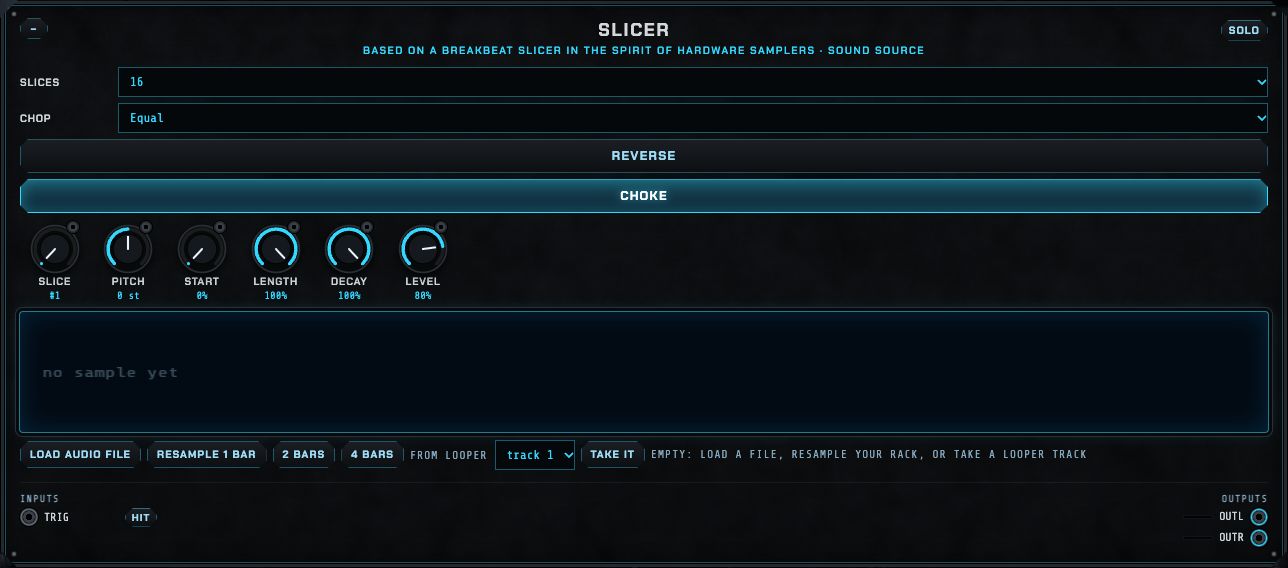
A breakbeat slicer, in the spirit of hardware samplers: one sample cut into 4, 8, 16 or 32 slices (equal, or at the hits), and each trigger plays the slice chosen by the Slice knob. Patch a modulator (Chance, an LFO, the Pattern's note) into Slice for re-arranged breaks. Pitch, Start, Length, Decay, Level, Reverse and Choke (a new slice cuts off the last) shape the playback. For sixteen independently playable pads, use the Sampler panel instead.
Weaver
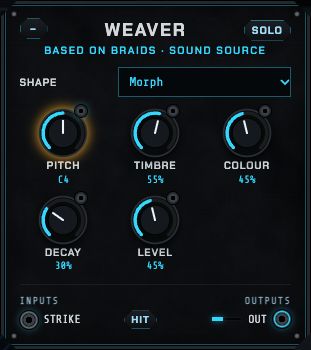
Mutable Instruments' Braids: 48 oscillator shapes in one voice, from classic waveforms (CSAW, saw-square, sync, triple saws) through filters, vowels and FM to physical models (plucked, bowed, blown, struck bell and drum) and noises. Timbre and Colour change the shape's character in a way particular to each shape. A trigger on strike plays a note with its own envelope; Decay at maximum leaves it droning. In Melodic house it plays the hypnotic arpeggio lead.
Modal voice
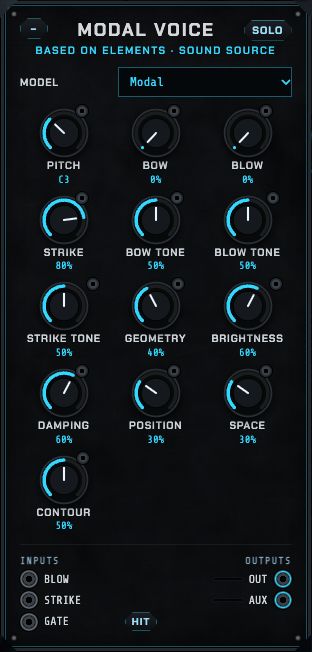
Mutable Instruments' Elements: a physical model of a resonating object, excited three ways: Bow (a continuous friction), Blow (breath noise) and Strike (a mallet or pluck), each with its own tone. The object is shaped by Geometry (from string to plate to bell), Brightness, Damping (how long it rings) and Position (where it is excited). Space adds its reverb; Contour shapes the exciter's envelope. Play it with gate (held notes, bowing) or strike, or patch audio into blow and strike to excite it with other sounds. Model: Modal, String or Strings.
Pulse kit
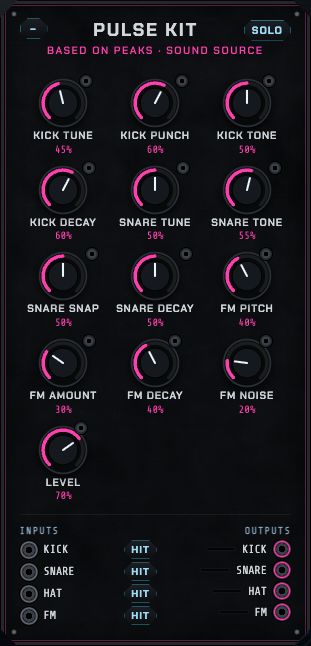
The drum generators of Mutable Instruments' Peaks: a punchy bass drum (tune, punch, tone, decay), a snare, a hi-hat and an FM drum (pitch, amount, decay, noise), each with its own gate input and output. Simpler and grittier than the Drum machine, and good for a second, contrasting kit.
Effects and processors
Processors change sound you send into them. Patch a source's output into a processor's input, then the processor's output into a Console strip (or another processor). To use one as a shared effect for several sounds, put it on a Console send (see Sends C and D).
Filter
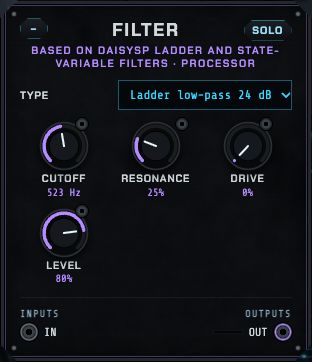
A resonant filter (from DaisySP): the classic ladder (the Moog-style filter, by Huovilainen) as a 24 or 12 dB low-pass, band-pass or high-pass, or a state-variable filter as low-pass, band-pass, high-pass or notch. Cutoff follows one volt per octave, so a note source patched in makes it track the keyboard; an LFO or envelope makes it sweep. Resonance emphasises the cutoff (high settings ring and whistle); Drive pushes the input for warmth.
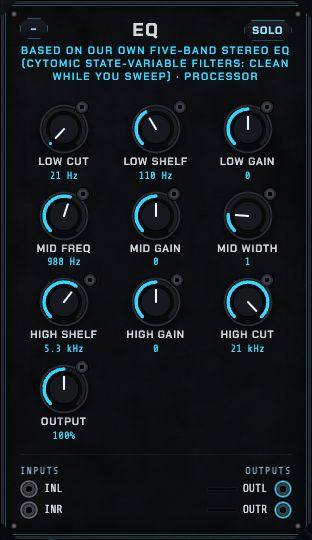
EQ
A five-band stereo EQ to shape any sound before it reaches the Console: Low cut, a low shelf (frequency and gain, ±15 dB), a sweepable mid bell (frequency, gain and width: a narrow width touches only a small range), a high shelf and a High cut, then Output level. At their ends of travel the low and high cuts are off, so untouched the EQ is exactly flat. Its filters stay clean while you sweep them, so the mid band can be swept by an LFO for a moving, wah-like tone. A mono input comes out on both sides.
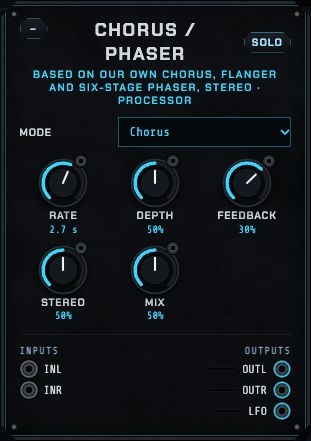
Chorus / phaser
Three classic movement effects in one: Chorus (two slightly delayed, slowly wobbling copies: thick and wide), Flanger (a very short delay with feedback: the jet-plane swoosh) and Phaser (six stages that sweep notches through the sound: the swirl). Rate is the speed of the sweep, Depth how far it goes, Feedback how intense (flanger and phaser), Stereo how far apart the two sides move, Mix how much effect. A mono sound in comes out in stereo, and the sweep is also an output (lfo) to move other knobs in time with it.
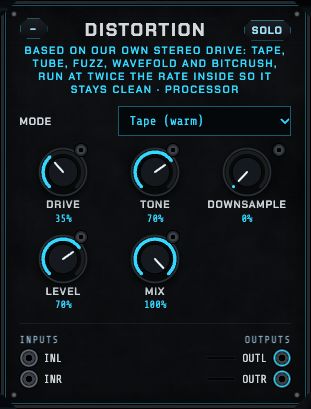
Distortion
A stereo drive with five characters. Inside, it works at twice the sample rate and averages back down, so even heavy settings stay free of the harsh, metallic aliasing cheap distortion has. It also measures itself and sets its own make-up gain, so turning Drive up changes the character, not the loudness: you can compare settings fairly.
Mode: Tape (warm, smooth rounding: glue for drums and bass), Tube (asymmetric, adds the even harmonics that sound full and friendly), Fuzz (hard clipping: aggressive, buzzy), Wavefold (folds the wave back on itself: hollow, glassy, West Coast tones that move as Drive moves) and Bitcrush (fewer bits as Drive rises: gritty, 8-bit).
Drive: how hard the sound is pushed. Patch an envelope or LFO into its jack for distortion that breathes.
Tone: darker to the left, open to the right. Distortion adds a lot of top end; take some off for warmth.
Downsample holds each sample for longer, like an old 1980s sampler: lo-fi crunch with metallic aliases. It works in every mode.
Level trims the output (70% is the same loudness as the input). Mix blends dry and driven: about 30 to 50% is "parallel distortion", which thickens a sound without losing its punch.
Patch a mono sound into inL (it is copied to both sides) or a stereo pair into inL and inR.
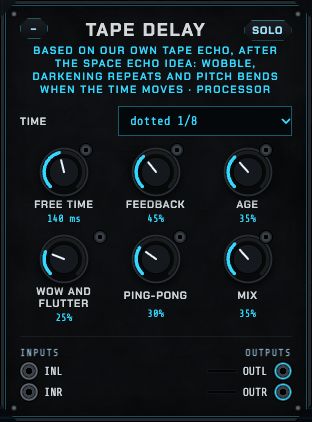
Tape delay
An echo after the tape machines of the 1970s (the Roland Space Echo, the Echoplex). A loop of tape passes a record head and a play head; the echoes are whatever the play head finds. That gives tape echo its personality, which this module copies:
Time: in step with the tempo (1/16 to 1/2, including triplet and dotted times), or Free, set by the Free time knob from 20 ms (slapback) to 1.5 seconds.
When the time changes, the tape speeds up or slows down to get there, so the echoes still in the loop bend in pitch, the famous dub "whoosh". Turn Free time while it plays, or patch an LFO into its jack.
Feedback: how much of each echo goes round again. Past 100% (the top of the knob is 125%) the echoes grow instead of fading and build into a howl. The tape saturates, so it stays in bounds: a classic performance trick; pull it back down to tame it.
Age: how worn the tape is. Every repeat comes back darker and thinner, so long echo trails melt into the background instead of piling up.
Wow and flutter: the gentle wobble of tape speed: a slow wow and a quick flutter. A little sounds warm and alive; a lot sounds seasick.
Ping-pong bounces the echoes between left and right. At full, the first echo is on the left, the next on the right, and so on.
Mix: dry against echoes. Put it on a Console send instead (Mix at 100%) to share one echo between several parts.
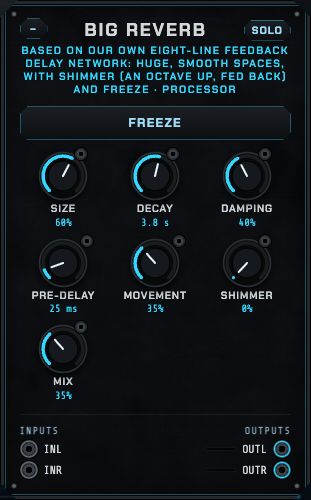
Big reverb
A large, smooth reverb for pads, ambient textures and huge drops, bigger than the Console's room reverb. Inside, the sound is spread by diffusers, then circulates through eight delay lines that all feed each other (a "feedback delay network"), losing a little level and treble on every trip, the way sound fades in a hall.
Size: from a small chamber to a cathedral (the delay lines get longer).
Decay: how long the tail lasts, from 0.3 seconds to about 30 seconds (the time it takes to fade by 60 dB).
Damping: how quickly the treble dies away. High for soft, dark, natural spaces; low for bright, glassy ones.
Pre-delay: a gap (up to a quarter of a second) before the reverb starts, which keeps the original sound clear in front of it.
Movement slowly varies the delay lines, which keeps long tails smooth and lush instead of metallic.
Shimmer shifts the reverb up an octave and feeds it back in, so the tail climbs into a glowing, choir-like halo: the famous ambient guitar sound. Turn it up slowly; at the top it swells.
Freeze holds the reverb exactly as it is, forever, and stops new sound getting in: an endless drone made from whatever was playing. Play over it, then release it.
Mix: dry against reverb.
Even a mono input comes out wide: the left and right outputs take different blends of the eight lines.
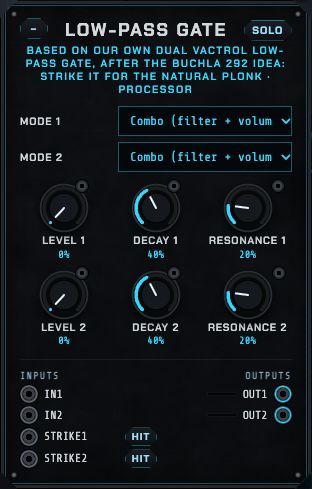
Low-pass gate
Two low-pass gates in the tradition of Buchla's 292. A low-pass gate opens a filter and a volume control together, through a vactrol: a small lamp shining on a light-dependent resistor. It opens quickly but closes slowly and unevenly, so as a sound fades it also gets darker, the way a struck string or a drum does. That is the soft, woody "plonk" of West Coast patches.
strike: a trigger flashes the lamp: the gate pings open and dies away on its own. Patch a Sequencer track or a clock here.
Level opens the gate steadily (patch an envelope or LFO into its jack to play it like a VCA with a filter's colour).
Decay sets how long the vactrol takes to close after a strike: short for plucks, long for gentle chimes.
Resonance adds a little ring at the closing filter.
Mode: Combo (filter and volume together: the classic), VCA (volume only) or Low-pass (filter only).
Each channel has its own input (in1, in2) and output. Anything sounds good through it: drums turn soft and wooden, a sequence of plain sines becomes a marimba.
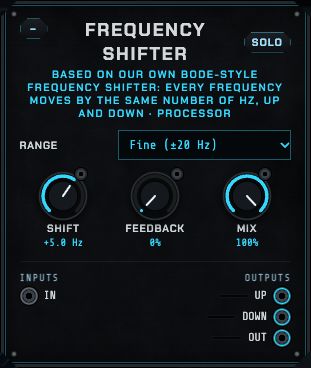
Frequency shifter
A frequency shifter in the style of Harald Bode's classic. It sounds a little like a pitch shifter but does something stranger: it moves every frequency by the same number of Hz. Shift a note at 200 Hz with overtones at 400 and 600 Hz up by 50 Hz and you get 250, 450 and 650: no longer a neat series, so the sound turns metallic, bell-like or detuned. Inside, two chains of all-pass filters split the sound into two copies 90° apart, which are mixed with a sine and a cosine so that only one side of each frequency survives.
Range: Fine (±20 Hz) for slow swirling, phasing and Leslie-like movement; Wide (±2 kHz) for clangs, bells and the robot voices of 1970s radio.
Shift: how far, up (right of centre) or down (left). The knob shows the shift in Hz. Patch an LFO into its jack for barber-pole sweeps.
Feedback sends the shifted sound back in, so it shifts again and again: an endless rising (or falling) spiral. Keep it under about 70% unless you want a storm.
Mix blends the dry input with the shifted sound.
Outputs: up (every frequency raised by the shift), down (lowered by the same amount, the mirror image), and out (the Mix of the input and up). Patch up and down to the two sides of a stereo pair for a wide, moving image.
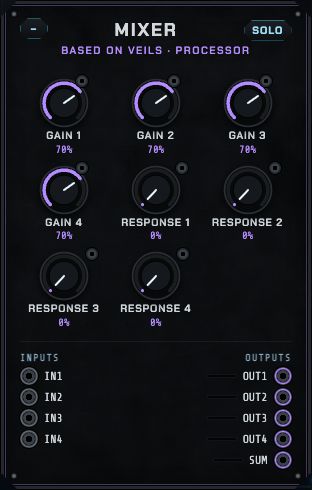
Mixer
Four VCAs (voltage-controlled amplifiers), after Mutable Instruments' Veils. Each channel's Gain sets its level and can be modulated: patch an envelope into Gain for a classic synth voice, or an LFO for tremolo. Response changes the gain curve from linear (smooth, even) to exponential (snappy, percussive). Each channel has its own output; sum mixes the channels whose own output is not patched, as on the real module.
Dynamics
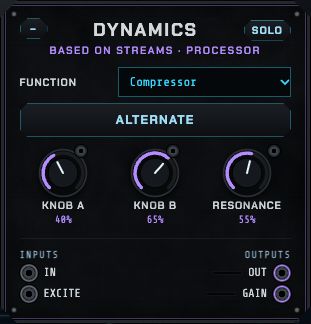
Mutable Instruments' Streams: one channel of dynamics, with six functions: an Envelope or Vactrol (the soft, organic low-pass gate of old West Coast synths) triggered by excite; a Follower (the input's loudness becomes a control signal on gain); a Compressor; a Filter controller; and Lorenz (a slowly wandering chaotic signal). Knob A, Knob B and Alternate change meaning with the function, as on the real module (for the compressor: threshold and ratio; for the envelope: attack and decay).
Resonator
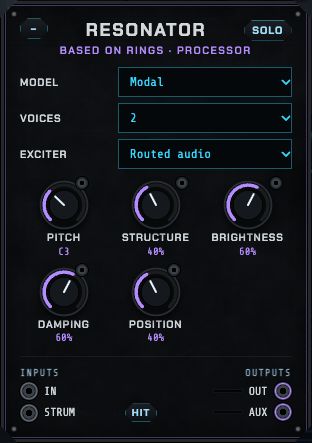
Mutable Instruments' Rings: a resonating body (modal resonator, sympathetic strings, a string, an FM voice, quantized strings or a string with reverb) that rings when you excite it, either with the Internal pluck on each strum trigger, or with any sound patched into in (drums through it become tuned percussion). Pitch tunes it (patch a note source to play melodies), Structure changes the body's shape, Brightness and Damping its tone and ring time, Position where it is struck. Voices lets notes overlap (1, 2 or 4).
Texture
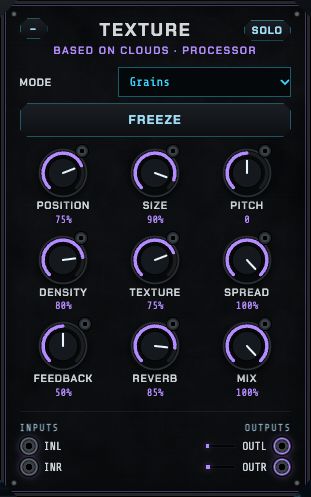
Mutable Instruments' Clouds: it records the incoming sound into a short buffer and plays it back as a cloud of tiny grains. Grains mode: Position picks where in the buffer the grains come from, Size their length, Pitch their pitch, Density how many, Texture their shape (and blur). Looping delay and Spectral are its other modes. Spread, Feedback, Reverb and Mix finish it; Freeze stops recording and keeps playing what is in the buffer: an instant pad from any moment. In Melodic house it turns the pad into a cloud (strips 10 and 11).
Grain delay
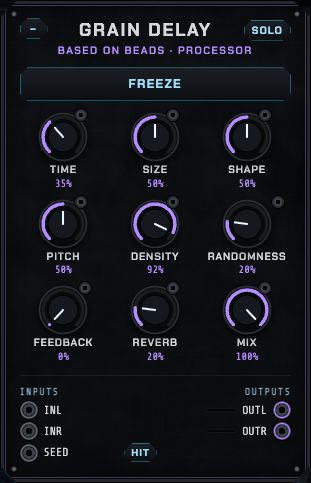
Mutable Instruments' Beads, the successor to Clouds: a granular delay. Time sets how far back the grains read; Size, Shape, Pitch and Density shape the grains; Randomness scatters them; Feedback builds repeats; Reverb and Mix place it. Freeze holds the buffer. A trigger on seed fires a grain. Lovely on a send for vocals, plucks and claps.
Cross-mod
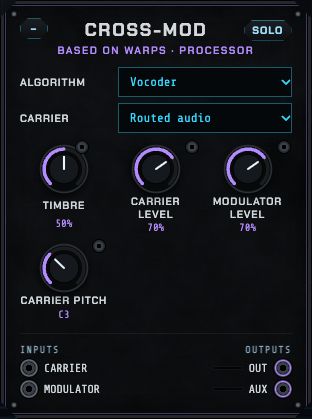
Mutable Instruments' Warps: it combines two sounds, a carrier and a modulator, in one of seven ways: crossfade, wavefolding, analog or digital ring modulation, XOR, comparator or a vocoder (the modulator's voice shapes the carrier's tone: patch a voice or drum loop into the modulator and a chord into the carrier). Timbre changes the algorithm's character; the carrier can also be an internal sine, triangle or saw at Carrier pitch.
Modulators and utilities
Motion modules make no sound. They make the control signals that bring a patch to life: rhythms, random notes, LFOs, envelopes. Patch their outputs into knob jacks (amber cables) or gate inputs (pink).
Breaks
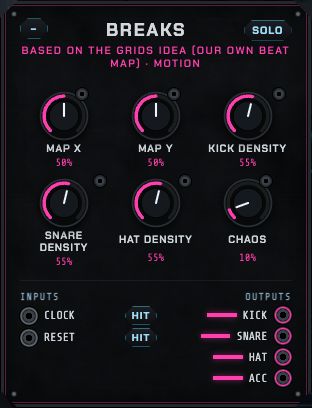
A drum pattern generator in the spirit of Mutable Instruments' Grids, with its own beat map: Map X and Map Y move through a map of drum patterns (from straight four-to-the-floor to broken beats); the three density knobs set how busy the kick, snare and hats are; Chaos adds random variations. Outputs: kick, snare, hat and acc (accents). It runs on the machine's clock unless you patch its clock input. Modulate Map X or Y slowly with an LFO for a beat that keeps evolving.
MIDI in
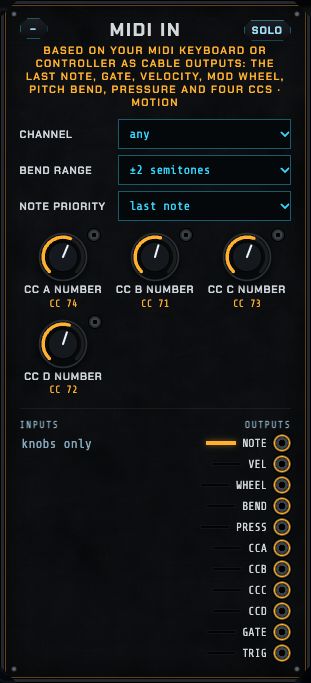
Your MIDI keyboard or controller as cable outputs, like a MIDI-to-CV converter in a Eurorack case. Where Keys turns notes into chords and arpeggios, this module hands you every control on the keyboard as a signal to patch anywhere. It hears every MIDI input once MIDI is connected (with Connect a MIDI keyboard, Connect MIDI or MIDI learn).
note: the pitch of the key played, at 1 V per octave (C4 is 0), bent by the pitch-bend wheel. Patch it into any pitch knob's jack at 100%.
gate is high while any key is held; trig fires a short trigger on every new note, even legato. Patch them into envelopes, a Low-pass gate's strike, or the Sequential switch.
vel: how hard the last key was struck (0 to 1). Into a filter or Distortion's Drive, harder playing sounds brighter.
wheel (the mod wheel, CC 1), bend (−1 to +1, centred at rest) and press (aftertouch: pressing harder on a held key, on keyboards that have it).
cca to ccd: four controls of your choice. Set CC A number to CC D number to the numbers your controller sends (they start at 74, 71, 73 and 72, the usual numbers for cutoff, resonance, attack and release).
Channel: any, or listen to one channel only. Bend range: how far the bend wheel moves note (±1 to ±24 semitones). Note priority: with several keys held, follow the last, lowest or highest one.
To turn the machine's knobs from a controller directly, without cables, use MIDI learn.
Keys
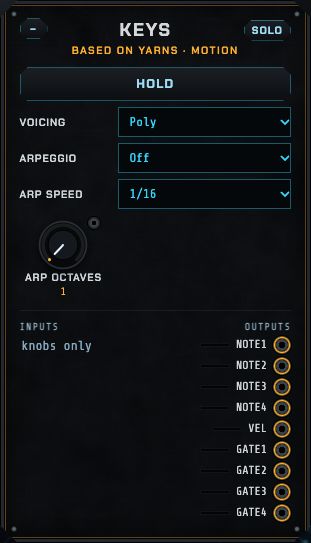
Mutable Instruments' Yarns: it turns the notes you play (the on-screen keys, your computer keyboard or a MIDI keyboard; see Keys and MIDI) into pitch and gate signals. VoicingMono or Poly (four voices: note1–4 and gate1–4); Hold keeps notes on after you let go; the Arpeggio (up, down, up and down, random) plays held notes one by one at Arp speed over Arp octaves. vel is how hard you played.
Chance
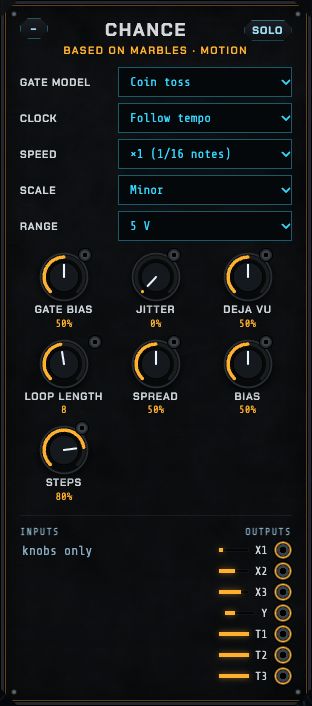
Mutable Instruments' Marbles: random gates and random notes that can be musical. The gates (t1–t3) follow a Gate model (coin toss, clusters, drums, independent, divider, three states, Markov) with a Gate bias and Jitter (timing looseness). The notes (x1–x3, y) are shaped by Spread, Bias and Steps (raise Steps and they snap to the Scale: major, minor, pentatonic…). Deja vu is the magic knob: at 0 everything is new each time; at the middle the last Loop length steps repeat with variations; at full they lock into a loop. Chance follows the tempo (Clock: Follow tempo) or runs free.
Keyframe LFO
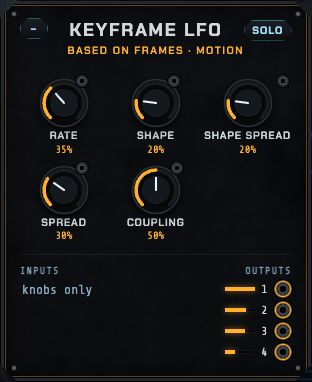
Mutable Instruments' Frames in its four-LFO mode: four slow waves (outputs 1–4) from one Rate. Shape morphs the wave (from sine through triangle and saw to stepped); Shape spread gives each of the four a different shape; Spread sets their speed ratios or phase offsets; Coupling makes them influence each other. Four related, never-quite-repeating movements: ideal for slowly animating a pad's filter, pan and send levels together.
Slopes
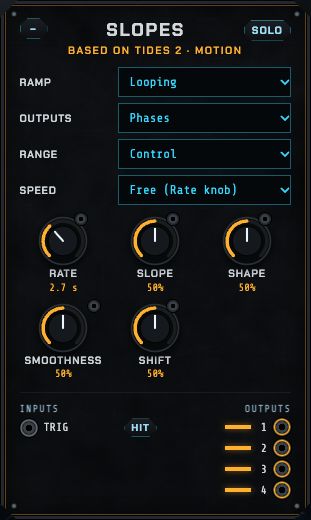
Mutable Instruments' Tides 2: a function generator that makes envelopes, LFOs and even audio-rate oscillators, with four related outputs. Ramp: One-shot (AD) on each trig, Looping (an LFO) or Hold (AR) while the gate is held. Slope sets how much of the cycle rises versus falls; Shape the curve; Smoothness rounds or folds it. The four outputs can be gates, amplitudes, phases or frequencies of the same motion, set apart by Shift. Speed locks it to the tempo (4 bars to 1/16 notes) or leaves it free on Rate; RangeAudio makes it an oscillator.
Function
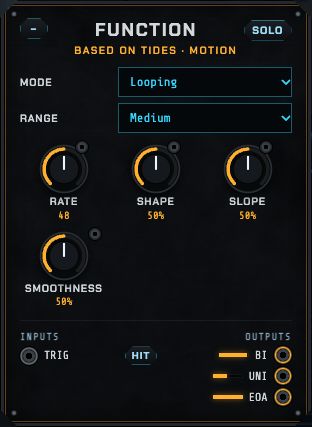
The original Mutable Instruments Tides: one function generator with three modes (AD envelope, Looping, AR), three ranges (audio, medium, slow), Rate, Shape, Slope and Smoothness. Outputs: bi (swings both ways), uni (positive only) and eoa (a gate at the end of each attack, to chain things).
Segments and Segments 2
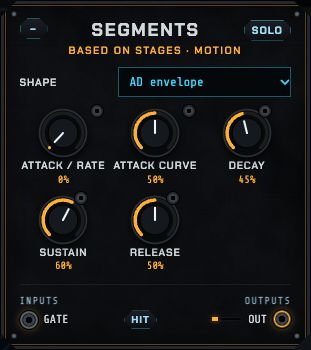
Two channels of Mutable Instruments' Stages, set up as ready-made shapes: an LFO, an AD envelope, an ADSR envelope or a Ramp. Trigger or hold the gate input; Attack / rate, Attack curve, Decay, Sustain and Release shape it (Decay, Sustain and Release need an envelope shape). In Melodic house, Segments makes the sidechain-style pump on the bass, fired by the kick.
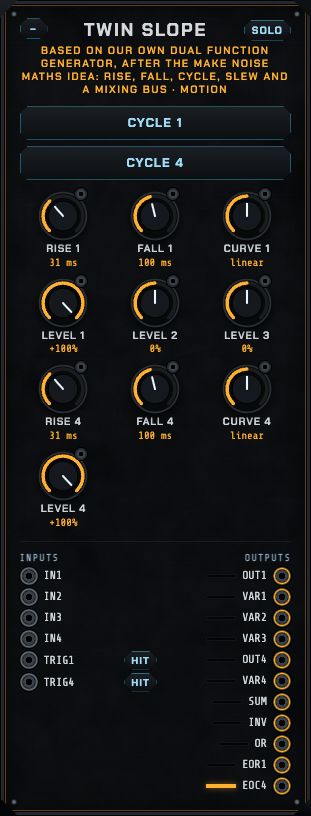
Twin slope
A dual function generator, after the idea of Make Noise's Maths, the best-loved module in Eurorack because it does ten jobs. It has four channels and a mixing bus.
Channels 1 and 4: rise and fall
A trigger on trig1 (or trig4) makes the channel rise to the top in the Rise time, then fall back in the Fall time: an envelope. The times run from half a millisecond to about a minute.
Patch a signal into in1 (or in4) instead and the channel follows it, but no faster than its Rise and Fall speeds: a slew limiter for portamento between notes, or, with a sound patched in, an envelope follower.
Cycle makes the channel retrigger itself: an LFO at long times and an oscillator at short ones (2 ms up and 3 ms down is about 200 Hz).
Curve bends both slopes: logarithmic (fast start), linear, or exponential (slow start, snappy end, like a real acoustic decay).
Outputs: out1 (always full size), var1 (scaled and inverted by Level 1), and the gate eor1 (end of rise: high while falling). Channel 4 has out4, var4 and eoc4 (end of cycle: high when at rest). Patch eor1 into trig4 and the two channels chase each other.
Channels 2 and 3: scale, invert, offset
Level 2 and Level 3 scale and invert whatever is patched into in2 and in3 (an attenuverter). With nothing patched, they produce a steady offset instead (1 and 0.5), handy for shifting a modulation up or down.
The bus
sum adds the four variable outputs, inv is the same inverted, and or follows whichever is highest. Mix two envelopes into one, or subtract one LFO from another for a new shape.
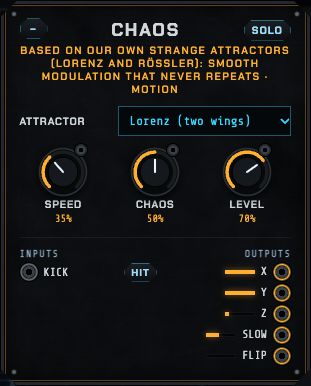
Chaos
Modulation that is smooth but never repeats, from the mathematics of chaos. A strange attractor is a set of equations whose solution circles forever without ever retracing its path. It's the famous "butterfly" of weather forecasting. Unlike an LFO, it never settles into a loop, and unlike random it never jumps: perfect for patches that should drift and evolve for hours.
Attractor: Lorenz, the two-winged butterfly. It circles one wing for a while, then swaps to the other at unpredictable moments: good for slow changes of mood. Rössler is a spiral that grows outward and then folds back in: more regular, like a wandering LFO.
Speed: from a slow drift over minutes to a fast wobble.
Chaos bends the equations: lower is calmer, higher is wilder.
Level scales all the outputs.
Outputs: x, y and z are the three coordinates: related but different curves, so patching them to three knobs makes them move together like one living thing. slow is a smoothed x. flip fires a trigger whenever the orbit jumps to the other wing: a rhythm with no pattern. A trigger on kick throws it onto a new path (on Lorenz, onto the other wing at once).
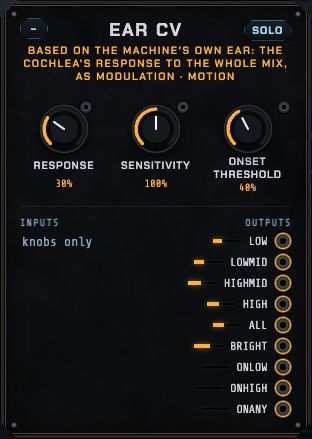
Ear CV
The machine's own ear as a modulation source. The cochlea model that draws the ear picture already measures how strongly each place along the membrane is moving; this module turns that into signals you can patch anywhere. Whatever the ear is listening to (the machine itself, the microphone or another tab) can now move knobs.
low, lowmid, highmid, high: the response in four bands of places along the membrane, from the bass end to the treble end.
all: the overall loudness the ear hears. bright: where along the membrane the energy sits, from 0 (all bass) to 1 (all treble).
onlow, onhigh, onany: triggers that fire when the low or high band jumps suddenly (a kick, a hi-hat, a clap), once per hit.
Response: how smoothly the outputs follow: low for twitchy, high for slow swells.
Sensitivity scales the band outputs. Threshold sets how big a jump the onset triggers need.
Ideas: bright into a filter cutoff so the filter follows the music's colour; onlow into a Low-pass gate's strike so a quiet voice plonks along with the kick; all into a Mixer gain, inverted on the Twin slope, for ducking. The ear must be running (it runs whenever the ear picture moves).
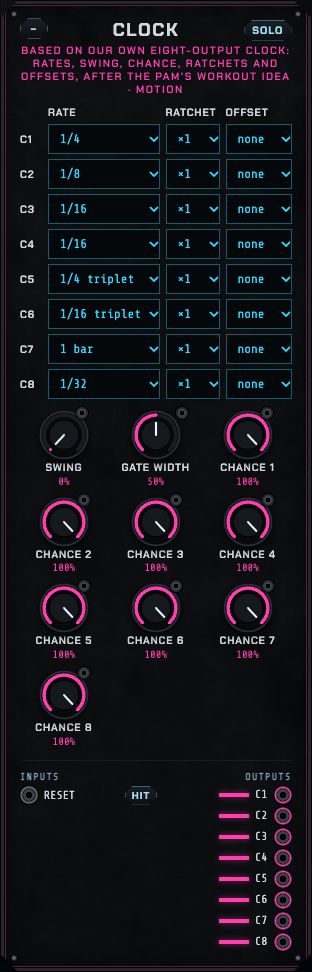
Clock
Eight clock outputs, all locked to the machine's tempo, each with its own rate, chance, ratchet and offset, in the spirit of the clock and trigger modules (Pamela's, Ornament & Crime) that run most Eurorack systems.
Rate: from one pulse every 4 bars down to 1/32 notes, including triplets (1/4T, 1/8T, 1/16T).
Chance: the probability that each pulse plays. 100% plays them all; 50% plays about half, at random: instant variation for hi-hats.
Ratchet: splits each pulse into 2, 3 or 4 quick hits: drum rolls and trap hi-hats.
Offset: moves an output later by 0 to 15 sixteenths, to put a pulse on the off-beat or build polyrhythms.
Swing delays every other pulse of the outputs running at 1/8 or faster; at full swing the late pulse lands halfway into its step. Width sets how long each pulse stays high.
reset: a trigger here restarts all eight from the bar line.
Outputs c1 to c8 are gates: patch them into drum triggers, envelope triggers, the Turing machine's clock or a Low-pass gate's strike.
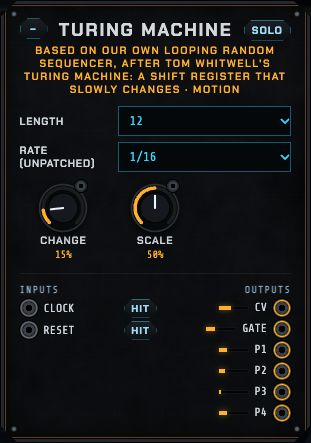
Turing machine
After Music Thing Modular's Turing Machine: a random looping sequencer. It keeps a loop of bits (ones and zeros). On every clock the loop steps round one place, and the bit coming back round may be flipped. The latest eight bits are read as a number: a stepped voltage for melodies.
Change is the big knob. At 0 nothing flips: the loop repeats exactly, a fixed melody. Turn it up a little and the melody slowly evolves, a note here and there. At 50% every step is random. At 100% every bit flips: the loop inverts each time round, so it repeats every two turns.
Length: 2 to 16 steps in the loop.
Scale: how wide the voltage swings. Patch cv through the Toolbox's quantizer for notes in a key.
Rate: 1/16, 1/8 or 1/4 from the machine's clock, unless you patch a clock (a Clock output, say). reset brings back the starting pattern.
Outputs: cv (the stepped voltage), gate (a pulse on the steps where the newest bit is 1: a rhythm that loops with the melody) and p1 to p4 (pulses from older bits: four more related rhythms). Find a melody you like, then turn Change to 0 to lock it.
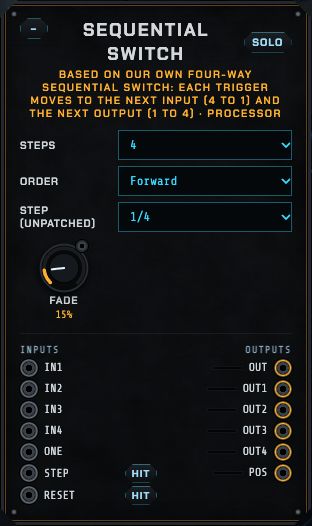
Sequential switch
A switch that moves one position each time it is triggered, after the classic sequential switches of modular synthesis. It works both ways at once:
Four to one: in1 to in4 take turns reaching out. Patch four drum loops, four melodies or four effects in and they take turns.
One to four: the input one takes turns going to out1 to out4. Send one sound to four different effects in turn, or one gate to four drums.
Steps: use 2, 3 or all 4 positions.
Order: Forward (1 2 3 4 1 …), Back and forth (1 2 3 4 3 2 …) or Random (always moves to a different position).
Step (unpatched): with nothing patched into step, it moves by itself every 1/16, 1/8, 1/4 or bar. Patch a trigger into step (a Clock output, a Sequencer track, Chaos's flip) and it moves on that instead. reset goes back to position 1.
Fade cross-fades each change, from a hard cut to about 50 ms, so audio does not click.
pos outputs the current position (0 at the first, 1 at the last) as a voltage, handy for moving a knob along with the switch.
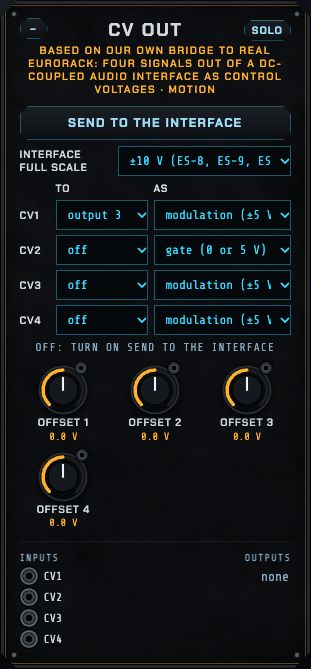
CV out
Sends the machine's signals out to a real Eurorack system as control voltages, so its sequencers, LFOs, Chaos and Turing machine can play your hardware. It needs a DC-coupled audio interface with more than two outputs: an ordinary interface blocks steady voltages, so it can't carry CV. Expert Sleepers' ES-8 and ES-9 are made for this; MOTU's interfaces with DC-coupled outputs work too. Choose the interface as the computer's sound output before opening the page. Outputs 1 and 2 keep playing the music; CV uses outputs 3 to 8.
Send to the interface switches it on. The line under it says what it found: how many outputs the interface has, or why it can't send.
Interface full scale: the voltage the interface puts out at full level. The ES-8 and ES-9 give ±10 V. Check your interface's manual if pitches come out wrong.
For each of the four channels: patch any signal into cv1 to cv4, choose which interface output it leaves on (CV 1 to) and how (CV 1 as):
modulation: the machine's −1 to +1 becomes −5 V to +5 V, the Eurorack standard for LFOs and envelopes;
pitch: exact 1 V per octave (the machine's own pitch scale), so a melody plays in tune on a hardware oscillator;
gate: 0 V or 5 V, for triggering envelopes and drums.
Offset adds up to ±5 V: transpose a pitch by whole octaves (1 V each) or move a modulation's centre.
Tune a hardware oscillator by sending it a pitch from the Keys or Pattern and adjusting the oscillator until it matches the machine. On a computer with only two outputs, the module explains that it has nowhere to send.
Toolbox
Small utilities that every modular system needs:
Quantizer (qin → qout): snaps any pitch signal to the nearest note of a scale and root. Patch Chance or an LFO through it for random melodies in key.
Sample and hold (shin, shtrig → shout): grabs the input's value on each trigger and holds it.
Slew (slewin → slewout): smooths sudden jumps into glides; the Slew knob sets how slowly.
Clock divider and multiplier (clock → div2, div3, div4, x2): from the 16th-note clock unless you patch another.
Euclidean rhythm (→ euclid): spreads hits as evenly as possible over steps, rotated, at Euclid speed: 3 hits over 8 steps is the Cuban tresillo, 5 over 8 the cinquillo.
Logic (a, b → and, or, xor) and Chance (chance → pass: lets each gate through with the probability set by the knob).
The patching guide and Every cable
At the bottom of the page, How patching works is a short reminder of the three kinds of cable and the rules in The rack and patching. Every cable lists every cable in the patch with its source, destination and amount: drag an amount to change it, or remove the cable. It is the easiest place to see and tidy a big patch.
Recipes: how the parts work together
Step-by-step ways of doing common things. Each one uses several parts of the machine together.
Build a track from nothing
Choose a tempo (melodic house sits around 118–124 BPM; techno 125–135).
Drums. In the Sequencer, set track 1 to Drum machine · kick and turn on steps 1, 5, 9, 13 (four to the floor). Track 2: clap on 5 and 13. Track 3: closed hat on the offbeats (3, 7, 11, 15). Patch the drum outputs into Console strips 1–4.
Bass. In the Piano roll, choose Plays: Acid bass (or patch the Pattern into the Voicebox), draw a line in the key, and patch the bass into strip 5.
Chords. Use the Chords module into the Poly synth (four notes), or draw chords in a second Piano roll pattern for the FM synth. Into strips 6–7.
Lead and texture. The Chords arpeggio into the Weaver; the Atmosphere's bed and riser into a strip.
Mix it (next recipe), then Store scenes: intro (drums and atmosphere), build, drop (everything), breakdown (no drums).
In the song, lay the scenes out: intro 8 bars, build 16, drop 16, breakdown 16, drop 16. Add automation lanes for the filter in the build.
Master it (Streaming or Club), Match it, then Bounce the song.
A first mix in five moves
Turn every strip down, then bring them up one at a time, starting with the kick, until each sits where you want it. Watch the meter bridge: nothing should light its red clip light.
Turn up Low cut on everything except the kick and bass (to 100–200 Hz on pads, leads and hats). The low end clears at once.
Click the kick's and the bass's meters to compare their spectra. Where both are high, cut a little of one there, or duck the bass (next recipe).
Pan things apart: hats and percussion a little left and right; kick, bass and lead in the middle.
Send the pad and lead to the reverb and delay; keep the kick and bass dry.
The sidechain pump
Patch the Drum machine's kick output into the Console's key input.
Turn up Duck on the bass, chords and pad strips. Leave the drums at 0.
Set Duck release: short (80–150 ms) for a tight pump, long (250–400 ms) for a big breathing one, in time with the tempo.
For more: patch the Console's pump output into a filter's cutoff so it opens between the kicks.
A shared effect on a send
Patch the Console's sendC into the Grain delay's inL.
Patch the Grain delay's outL and outR into retCL and retCR. Turn the Grain delay's Mix fully up (the Console mixes in the dry sound).
Turn up Send C on the strips that should have it, and set Return C.
With a Sequencer lock on Send C, just one clap in the bar can fly off into the grains.
A drum bus
Set the kick, clap and hat strips to → Group 1.
Bring Group 1 glue up slowly until the drums hold together (watch G1's amber squeeze on the meter bridge: a few dB is plenty).
Use Group 1 level to ride all the drums at once, and automate it for a drop.
Vocal or break chops
In the Sampler, Load a file (or record a tab you have the right to use).
Say how many bars it is and press Stretch to fit; shift the key if needed.
Chop at the hits. Click the pads to hear them; fix their regions on the waveform.
Play them from the Sequencer (each track's Plays box lists the pads), with Chance and Locks for variation; or Play it as an instrument from the Piano roll for a melodic chop.
Resample the machine
Press ● The machine, 4 bars in the Sampler: on the next bar it records exactly four bars of whatever the machine plays. Chop it, reverse pads, re-pitch them, play them back in a new order: a new part made from your own track.
A DX7 chord progression
In the FM synth, choose DX7, bank Built-in B, and an electric piano (E.PIANO 1, WINTRHODES…).
In the Piano roll, choose Plays: FM synth, key A minor, and draw four chords of three or four notes, one per bar.
Patch the FM synth into a Console strip, add a little reverb, and the Chorus / phaser on a send for width.
Press Edit patch and soften it: lower the modulators' Level for a rounder tone, or raise Rate 4 on the heard operators for a shorter release.
Finish the track in another program
Press Bounce stems in Arrange. The song plays once; a zip is saved.
In Ableton (or any DAW), set the project to the same tempo, then drag all the files in the zip's stems folder onto tracks, each starting at bar 1, at 0 dB.
They add up to your mix before the master glue and limiter, so you can rebalance, add plugins and master there. mix-mastered.wav is the reference.
A West Coast voice
Patch the West coast oscillator's out into the Low-pass gate's in1, and the gate's out1 into a Console strip.
Set a Sequencer track's Plays to Low-pass gate · strike1 and turn on a few steps: each step plonks the gate.
For the notes, patch the Pattern's note output (or Chance through the Toolbox's quantizer) into the jack on the oscillator's Pitch knob, at 100%.
Patch the Twin slope: the same Sequencer gate into trig1, and out1 into the jack on the oscillator's Timbre knob. Each note now starts bright and folds back to soft: give it a short Rise and a medium Fall.
Turn FM index up a little with Mod pitch at +7 or +12 for bell tones; set the gate's Decay to taste. Add the Console's delay.
A melody that writes itself
Set the Clock's output 1 to 1/8 with Chance 100%, and patch c1 into the Turing machine's clock.
Patch the Turing machine's cv into the Toolbox's qin, pick a scale, and patch qout into the jack on the West coast oscillator's Pitch knob. Patch its gate into the Low-pass gate's strike1, with the oscillator going through the gate as in A West Coast voice.
Turn Change to about 20% and listen: the melody keeps shifting. When you hear a phrase you like, turn Change to 0 and it loops for good.
Patch the gate's out1 through the Frequency shifter (Fine range, Shift a few Hz, Mix about 50%) for a slow, swirling shimmer, and send up and down to two panned Console strips.
Patch the Ear CV's bright into the jack on the oscillator's Timbre knob at a small amount: the voice now brightens when the rest of the music does.
When the computer struggles
Watch the engine load in Mastering. Above about 80% the sound can crackle.
Remove cables from modules you don't use (a module with nothing patched still runs).
Freeze finished channels: their modules stop running.
Close other heavy browser tabs.
Saving, files and undo
What
Where it lives
How to keep it
Knobs, cables, sequences, piano roll, master settings, DX7 bank
The patch
Save (this browser), Copy (text), song file
Scenes, song, automation
Arrange (this browser)
Song file; also in bounces' arrangement.json
The Sampler's sample and pad settings
This browser
Song file
Audio tracks
This browser
Song file
Looper recordings
The page only (gone on reload)
Export loops, or move them into the song with an audio track or the Sampler
Freezes
This browser (back when you press Play)
Song file
Cable display, MIDI choices
This browser
Kept automatically
MIDI learn links
This browser
Kept automatically, and in song files
Folded panels
The page only
The machine always opens unfolded
"This browser" means the browser on this computer: another browser, a private window, or clearing the site's data starts empty. A song file (.hmsong.zip) holds everything except the Looper, so it is the way to back up, move to another computer, or send a track to someone. Undo covers everything in the patch and the arrangement, up to 100 steps.
Troubleshooting
No sound
Press Play patch (browsers start audio only after you press something). Check the Master knob in Mastering and your computer's volume. Is the sound source patched into a Console strip or the master, and is the strip muted or turned down? Solo on a module plays it straight out.
A module makes no sound when its sequencer plays
Check its gate input is patched (pink cable) and, for the Voicebox, that Decay isn't at zero. For the Poly and FM synths, the notes need both note and gate cables (the Piano roll's Plays box makes both).
It got much louder or quieter after loading a patch
Each patch has its own level (set by Match it). Use the Master knob for listening volume.
The Sampler or audio tracks are empty after reloading
They are kept in this browser; a private window or cleared site data loses them. Keep important work in song files.
"Listen to a tab" or "Record the mic" is missing
Those buttons only appear where the browser allows tab or microphone capture. Open the machine on its own (for example from localhost) in Chrome.
MIDI doesn't connect
Use Chrome or Edge on a computer, open the machine in its own tab, and allow MIDI when asked.
Something went wrong
Press Undo. To start over without losing work, save a song file first, then reload the page.
Glossary
ADSR
Attack, decay, sustain, release: the four stages of an envelope.
Algorithm
In FM, the way the operators connect: which modulate which, and which are heard.
Arpeggio
A chord played one note at a time.
Basilar membrane
The membrane inside the cochlea that sorts sound by pitch, low at the apex, high at the base.
BPM
Beats per minute: the tempo.
Carrier, modulator
In FM, the oscillator you hear and the one that bends its pitch.
Cutoff, resonance
Where a filter starts to remove frequencies, and how much it emphasises that point.
dB, dBFS
Decibels: a ratio of levels; dBFS is relative to full scale (0 dBFS is the loudest a file can hold).
Duck, sidechain
Turning one sound down whenever another (the key, usually the kick) plays.
Envelope
A shape over time, started by a gate: how a note's level or brightness rises and falls.
Freeze
Recording a channel so the modules feeding it can stop running.
Gate, trigger
A signal that says a note is on (gate) or fires an event (trigger).
Glue
Gentle compression that makes parts sound like one whole.
LFO
Low-frequency oscillator: a slow wave used to move a knob.
Limiter
A fast compressor that never lets the signal pass a ceiling.
Lock
A knob setting stored in one sequencer step.
LUFS
Loudness units relative to full scale: how loud a track feels, per ITU-R BS.1770.
Modulation
Using one signal to move a setting of another.
Operator
In FM, one sine oscillator with its own envelope.
Patch
Everything the machine is set to; also, to connect with a cable.
Quantize
To snap to a grid: notes to a scale, or timing to steps.
Scene
A stored snapshot of the machine, used as a section of the song.
Send, return
Sending part of several sounds to one shared effect, and bringing the effect back.
Stem
One part of a mix as its own audio file.
.syx
A MIDI system-exclusive file; DX7 patches and banks are shared this way.
VCA
Voltage-controlled amplifier: a level that a signal can move.
Velocity
How hard a note is played.
1 V/oct
The modular standard for pitch: one volt per octave.
Credits and licences
The Hearing Machine is built from open-source work, with thanks:
Mutable Instruments modules by Émilie Gillet (MIT): Plaits (Voicebox, Voicebox 2, the drum machine's kick and tom, and the FM synth's DX7 engine), Braids (Weaver), Elements (Modal voice), Peaks (Pulse kit), Rings (Resonator), Clouds (Texture), Beads (Grain delay), Warps (Cross-mod), Streams (Dynamics), Tides 2 (Slopes), Tides (Function), Stages (Segments), Frames (Keyframe LFO), Marbles (Chance) and Yarns (Keys). The machine is not affiliated with or endorsed by Mutable Instruments.
DaisySP (MIT, Electrosmith): the Filter, the Console's filters, the Poly synth's parts, the snares and hats; the ladder filter by Richard van Hoesel and Infrasonic Audio.
Open303 by Robin Schmidt (MIT), with Takuya Ooura's FFT: the Acid bass.
Signalsmith Stretch by Geraint Luff (MIT): the Sampler's and audio tracks' time-stretching and key shift.
The plate reverb follows Jon Dattorro's published design. The Acid Ear box is inspired by AcidBox by copych (MIT) and The Endless Acid Banger by Vitling (CC BY 4.0).
The FM synth's built-in DX7 banks are Émilie Gillet's selection of classic DX7 patches; they include Yamaha factory voices, which are not under an open licence.
The cochlea model and everything else is written for this machine. Everything runs in your browser; nothing you play is recorded or sent anywhere.